Friday, April 3, 2026

Autel IM608 PSA Keyless Entry Not Working Solution

A common issue encountered when coding 8A keys for PSA Smart vehicles: the keyless system (Keyless Entry) not activating after programming using AUTEL MaxiIM IM508/IM608 or other programmers.
The root cause often lies in differences within the key’s EEPROM data.

In this guide, we’ll walk through how to identify and solve this problem.

Autel IM608 PSA Keyless Entry Not Working 1

Guide:

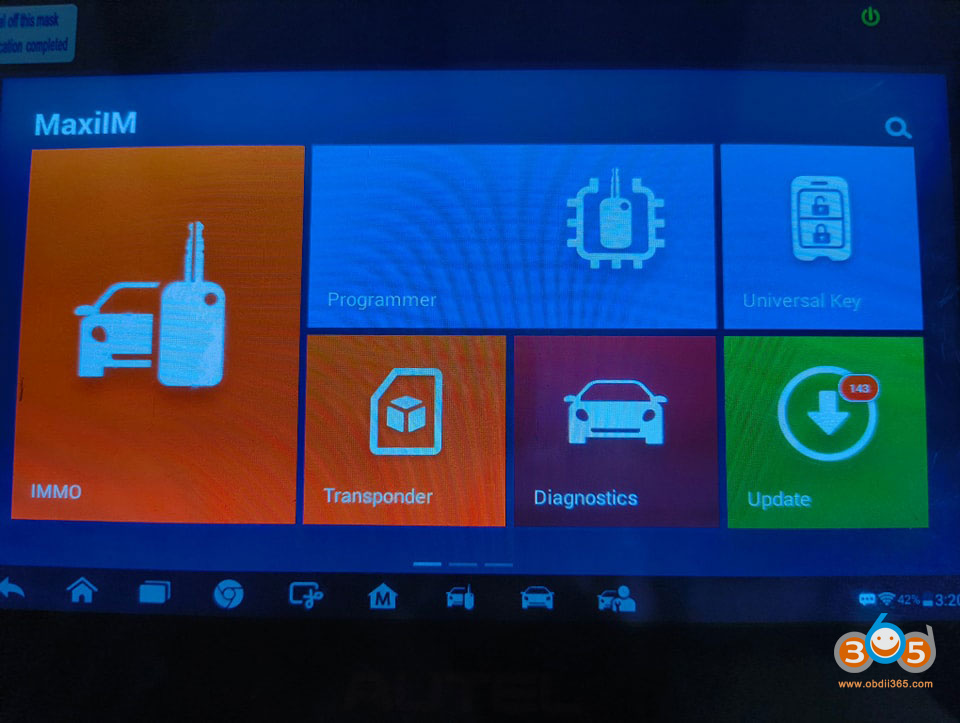
Access the Programmer Menu
Start by entering the programmer menu on your Autel device.

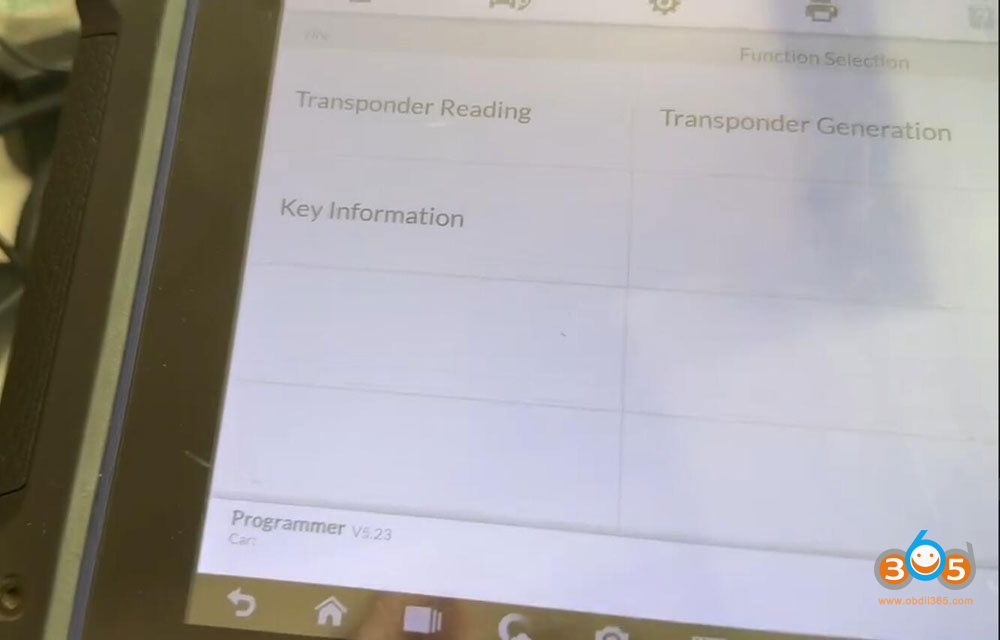
Navigate to Transponder Section
Go to the transponder menu and select “Transponder Reading.” Use the automatic detection feature to read the key. Ensure the key is placed inside the device.

Autel IM608 PSA Keyless Entry Not Working 2

Autel IM608 PSA Keyless Entry Not Working 3

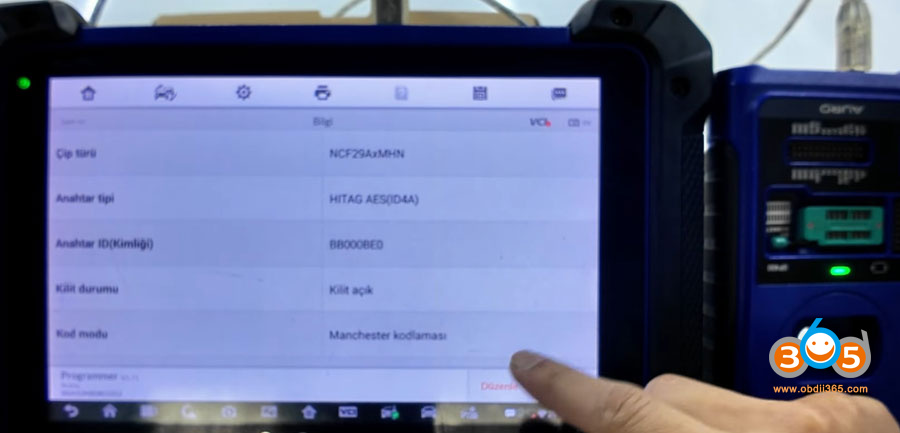
Read the Key Data
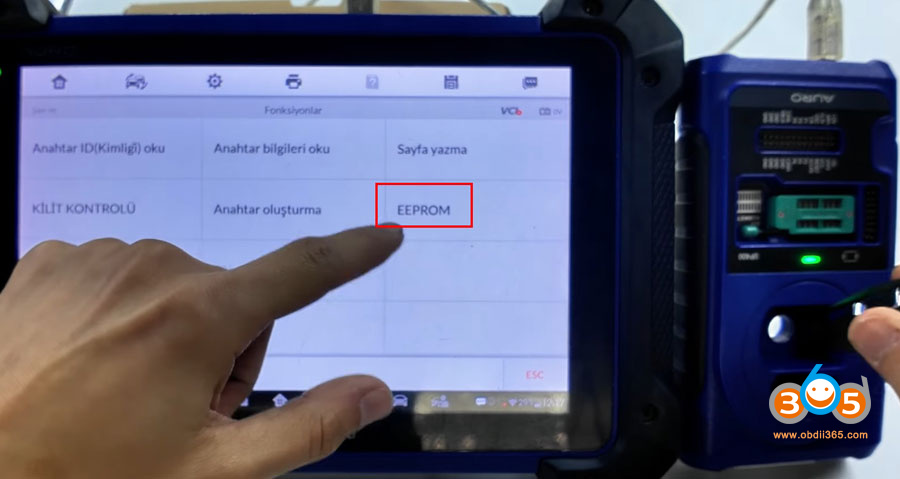
The device will read the key and display its ID, key type etc. Then, enter the “Edit” section to read the EEPROM data stored inside the key.

Autel IM608 PSA Keyless Entry Not Working 4

Autel IM608 PSA Keyless Entry Not Working 5

Analyze the EEPROM
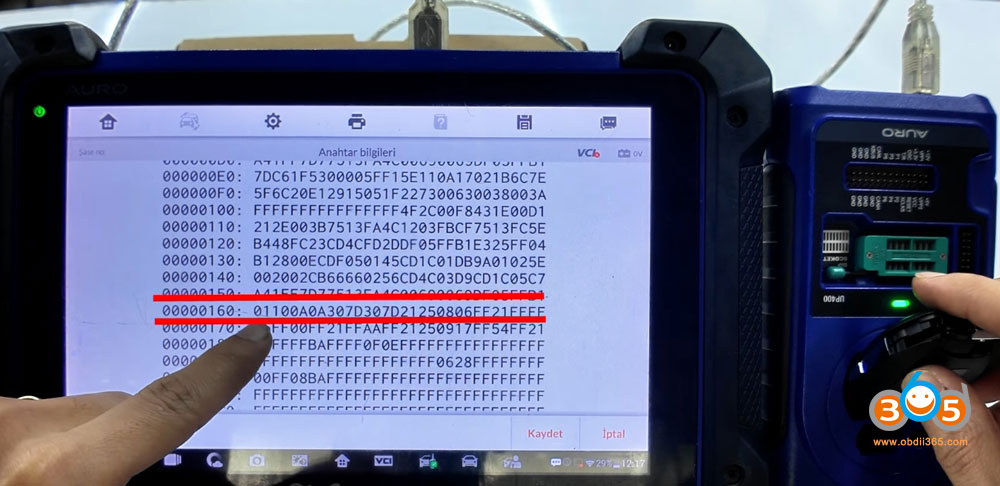
Check data line 160. Focus on the first two bytes (first two numbers).

If the value is 01, the key is Type 2.

For the key to function properly, the original key must read 01. This ensures healthy operation of the keyless system.

Autel IM608 PSA Keyless Entry Not Working 6

Real-World Example: Opel Combo 2023

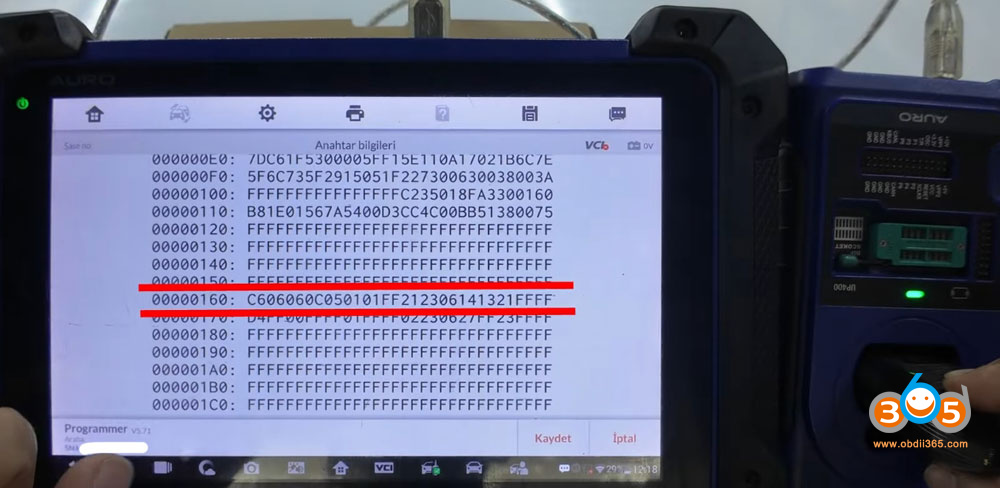
Let’s consider an example using an Opel key (for a 2023 Opel Combo). When reading this key, the data starts with C6. If you were to try programming another remote with this configuration, the remote would not work and would essentially become locked or non-responsive.

Why? Because the PSA system expects specific EEPROM values. A mismatch – such as seeing a different header instead of the required 01 – prevents the keyless entry from engaging.

Autel IM608 PSA Keyless Entry Not Working 7

The Solution

To solve this issue, you must ensure that the key’s EEPROM data matches the required Type 2 standard (starting with 01). If the key shows a different value (like C6), it will need to be reprogrammed or replaced with a compatible unit. Always verify the first two bytes of the EEPROM before finalizing the coding process.


Conclusion

Keyless entry failures after coding PSA Smart keys are often due to hidden EEPROM differences. By using an Autel programmer to inspect the first two bytes of the EEPROM, you can quickly determine if the key is compatible. Remember: 01 = Type 2 = functional keyless entry. Anything else, like a C6 header, will lead to failure.

Wednesday, March 25, 2026

Autel IM508 Calculate VAG PCR2.1 ECU CS PIN After New Update

The latest update from Autel has improved VAG PCR2.1 ECU EEPROM/PFLASH read & write capabilities and IMMO data extraction, making advanced ECU work easier and faster for locksmiths and technicians.

Learn the latest updated method to read VAG PCR2.1 ECU immobilizer data using AUTEL IM508 after recent software updates.

We will explain the complete step-by-step process to safely read IMMO data from PCR2.1 ECU using bench mode and programmer (XP400 Pro).


New updates improved:

  • Adds FLASH reading/writing, EEPROM reading/writing, IMMO data calculation, and EEPROM cloning data conversion functions (in bench mode) for Siemens/Continental series PCR2.1, SIMOS8.3x, SIMOS8.4x, SIMOS8.5x, SIMOS8.6x, SIMOS12.1, and SIMOS12.2 ECMs.
  • IMMO data reading stability
  • EEPROM & PFLASH operations
  • More ECU compatibility


REQUIRED TOOLS

IM508 supports EEPROM/MCU read-write and IMMO ECU data access, especially when used with XP400 Pro.


STEP-BY-STEP PROCESS

Remove PCR2.1 ECU from vehicle.
Open ECU carefully (heat + blade method).
Identify EEPROM / MCU (Common: TC1767 / TC1797).
Connect using bench wiring or Gbox adapter.
In IM508, go directly to Expert Selection.
You will see there will be IMMO Parts, previously, it was Engine.

In IMMO Parts, select Engine.

Select Bench Mode. This is required for reading the PIN code on the PCR2.1 diesel white meter.

Select engine type: Bosch or Siemens/Continental.

Select Siemens/Continental. 

Select ECU type (PCR2.1 / TC1766).

Autel IM508 Calculate VAG PCR2.1 ECU CS PIN  1

Autel IM508 Calculate VAG PCR2.1 ECU CS PIN  2

Autel IM508 Calculate VAG PCR2.1 ECU CS PIN  3

Autel IM508 Calculate VAG PCR2.1 ECU CS PIN  4

Autel IM508 Calculate VAG PCR2.1 ECU CS PIN  5
Autel IM508 Calculate VAG PCR2.1 ECU CS PIN  6

This method works with both GBOX2 and GBOX3 interfaces.

Check the bench wiring diagram.

Autel IM508 Calculate VAG PCR2.1 ECU CS PIN  7

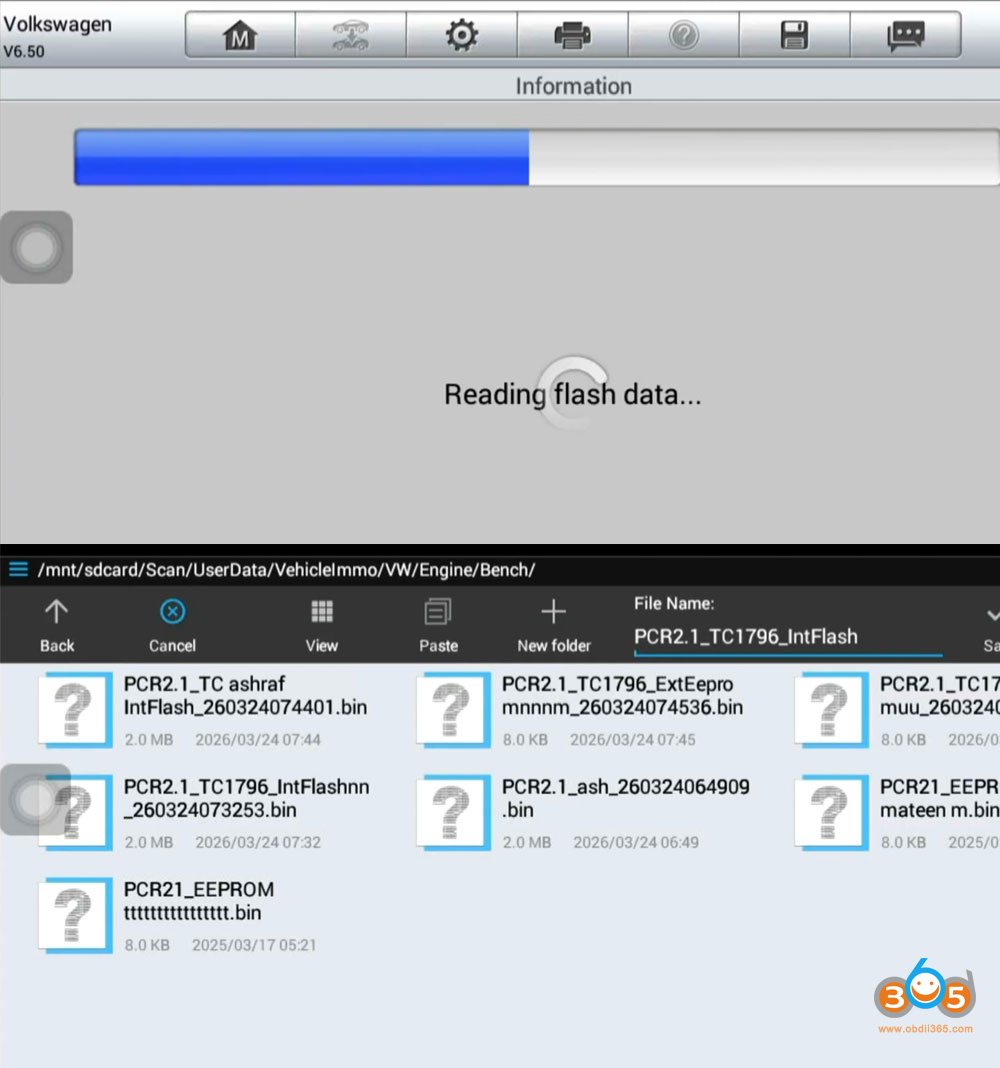
Choose Read EEPROM / Read FLASH.

Autel IM508 Calculate VAG PCR2.1 ECU CS PIN  8

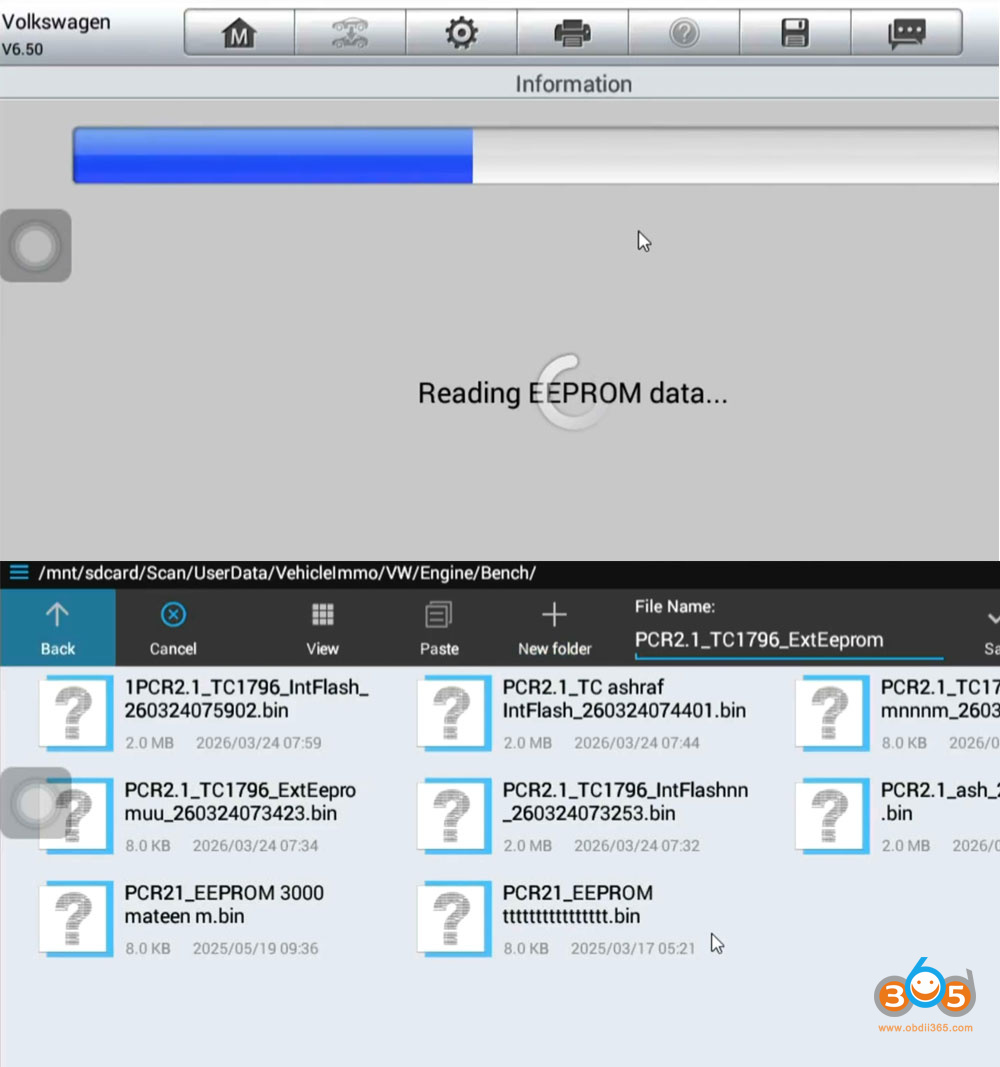
CS and PIN code will be found in Flash data. Flash data must be saved.

Autel IM508 Calculate VAG PCR2.1 ECU CS PIN  9

Then read and save EEPROM data.
Save original backup (VERY IMPORTANT ).

Autel IM508 Calculate VAG PCR2.1 ECU CS PIN  10

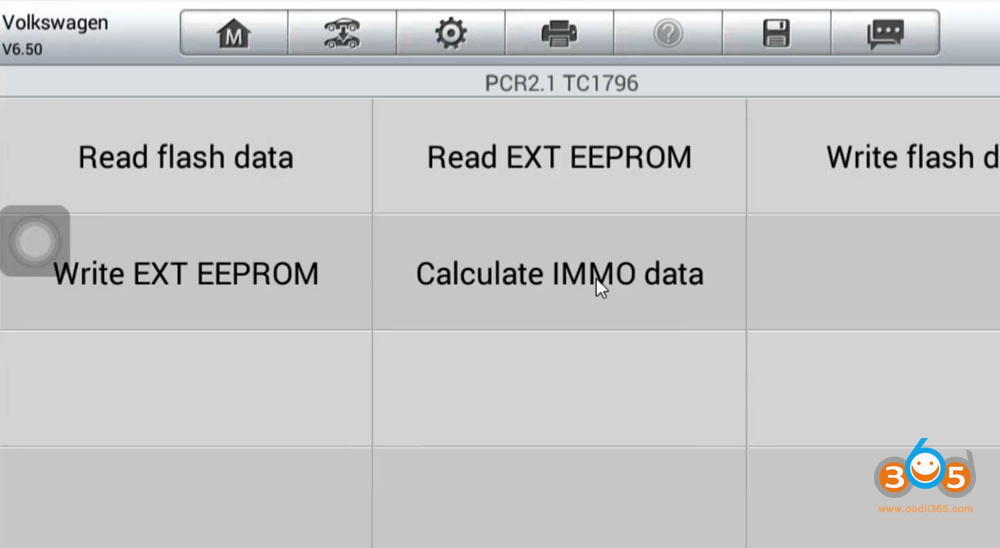
Select Calculate IMMO data.

Load the ExtEEPROM and IntFlash data of the same vehicle to extract IMMO data /CS/PIN from file.

Once both are loaded, click Decode.

Autel IM508 Calculate VAG PCR2.1 ECU CS PIN  11

Autel IM508 Calculate VAG PCR2.1 ECU CS PIN 12

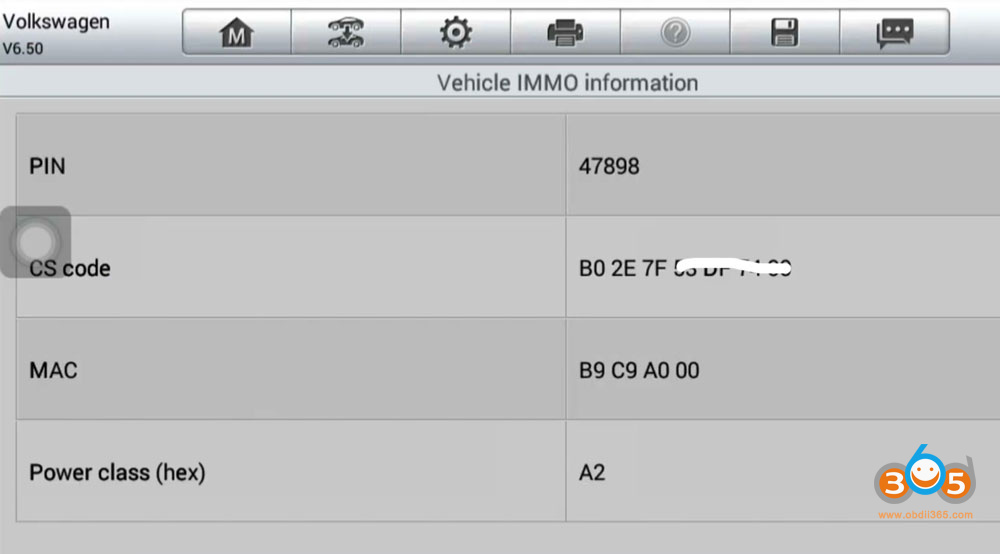
The system will process the data and display:

  • PIN Code
  • CS Code
  • MAC ID
  • Power Class

Take a photo or note down these details for use during programming.

Autel IM508 Calculate VAG PCR2.1 ECU CS PIN 13

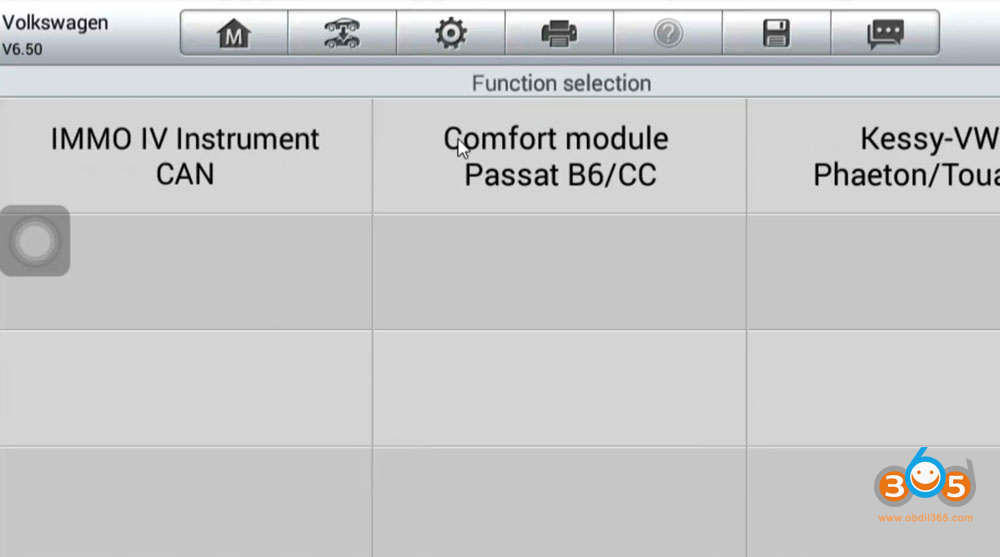
Go back to Expert Selection- IMMO IV- IMMO IV Instrument CAN.
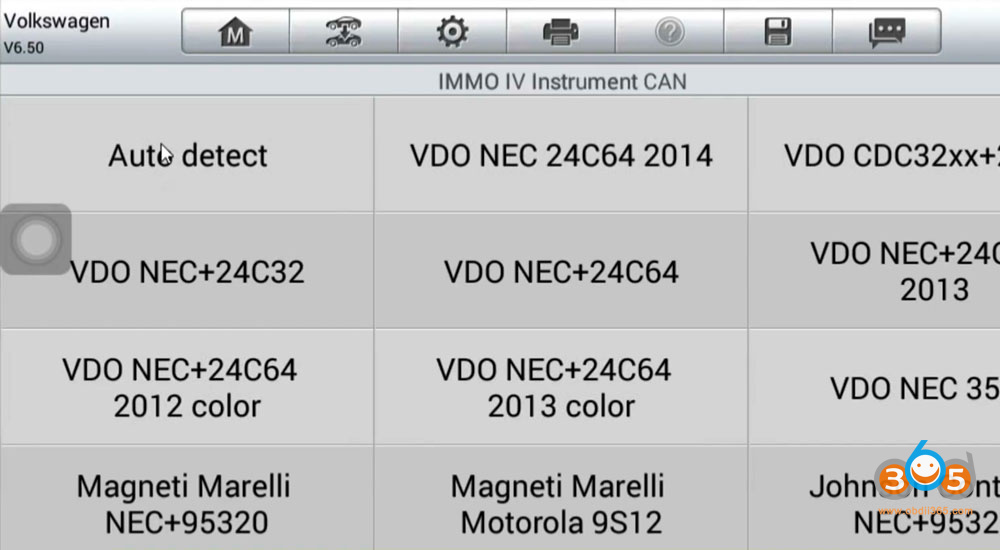
Select cluster type- VDO NEC35XX.
There will be All Key Lost via OBD mode option.

Autel IM508 Calculate VAG PCR2.1 ECU CS PIN 14

Autel IM508 Calculate VAG PCR2.1 ECU CS PIN 15

Autel IM508 Calculate VAG PCR2.1 ECU CS PIN 16
Here IMMO data will not be read.
What to do for this, do not Press Yes again.
Select No.

Autel IM508 Calculate VAG PCR2.1 ECU CS PIN 17

Autel IM508 Calculate VAG PCR2.1 ECU CS PIN 18

It will allow us to input CS and Code manually.

Autel IM508 Calculate VAG PCR2.1 ECU CS PIN 19
Then generate dealer key and learn key to the IMMO system via OBD.

PRO TIPS

Some PCR2.1 may still need boot mode or external tools (Xhorse Multi Prog etc) for full read.

Thursday, March 19, 2026

How to Add VAG MLB Key with Autel IM608 via APB300?

How to add VW Audi Porsche MLB smart key with Autel MaxiIM IM508/IM608 and APB300 programmer?

The MQB48 shares the same procedure.


Check vehicle list and update info here:

http://blog.obdii365.com/2026/02/03/autel-im508-im608-mqb-and-mlb-add-key-is-coming/


Procedure:

Step 1: Read Vehicle Information

The procedure is straightforward and reads key data very fast.

Select Manual selection-select model and year, for example Audi A4 2016.09 onwards- Control Unit-MLB Immobilizer.

add vw mlb key with autel im608 apb300 1

Read vehicle information.

add vw mlb key with autel im608 apb300 2
Place a working key in the sensing area and turn on the ignition.
Read and confirm vehicle information.

add vw mlb key with autel im608 apb300 3

Step 2: Recognize Key Info

Select Recognize key information.
Connect APB300 programmer with Autel IM508/IM608 via USB port.
Place the working key into the recognition area of the APB300 for recognition
Communicating with the key. The green light on the APB300 will turn on.
Read key data.

add vw mlb key with autel im608 apb300 4
add vw mlb key with autel im608 apb300 5

Step 3: Calculate IMMO Data

Select Calculate IMMO Data function.
Autel will show you key wiring diagrams.
Select one that matches your MLB key.
Disassemble original key and remove the circuit board.
Remove the capacitors following the diagram.
The supplied terminal wire should be welded when prompted by the on-screen instructions on the tablet.

Place the original circuit board into APB300 programmer.

add vw mlb key with autel im608 apb300 6
Read and process key data.
It takes 3-5 minutes to read key data.
Calculate IMMO data, this will take about 1 min.
Key verified in APB300 programmer successfully.
Save key file successfully.

add vw mlb key with autel im608 apb300 7
add vw mlb key with autel im608 apb300 8

Step 4: Generate Universal Key
Remove the terminal wire from MLB key board and remove cable from APB300.
Choose Universal Key Generation.
Select a 315MHz or 433Mhz frequency.

add vw mlb key with autel im608 apb300 9
add vw mlb key with autel im608 apb300 10
Must select the correct frequency during the generation process. Cannot change frequency after programming.

Check that a battery has been installed in the universal key, place the ikey in the key slot of the APB300 device.
Generate universal key successfully.

add vw mlb key with autel im608 apb300 11
add vw mlb key with autel im608 apb300 12

Step 5: Modify Key ID

Select Modify key ID function.
For a locked key, its ID cannot be modified.
For an unlocked key with an FF ID, ID can be modified once.

Modify ID successfully.

add vw mlb key with autel im608 apb300 13
add vw mlb key with autel im608 apb300 14
add vw mlb key with autel im608 apb300 15

add vw mlb key with autel im608 apb300 16

Step 6: Make Dealer Key
Select Make Dealer Key
Upload the IMMO data file.
Place a blank key into the key slot of the APB300 programmer and press OK
Generate the dealer key successfully.

add vw mlb key with autel im608 apb300 17
add vw mlb key with autel im608 apb300 18

Step 7: Learn Key

Select Key learning
Open the hood and turn off the A/C.
Place the key to be learned close to the sensing coil and turn on the ignition.
If the ignition cannot be turn on, turn on the harzard wanting light.
Upload IMMO data file again.
All keys need to be learned.
Place the 1st key at the sensing coil, keep other keys away.
Place 2nd key at the sensing coil, keep other keys away.
Key learning process completed.

add vw mlb key with autel im608 apb300 19
add vw mlb key with autel im608 apb300 20
add vw mlb key with autel im608 apb300 21
add vw mlb key with autel im608 apb300 22