Showing posts with label Autel J2534. Show all posts

Friday, August 7, 2026

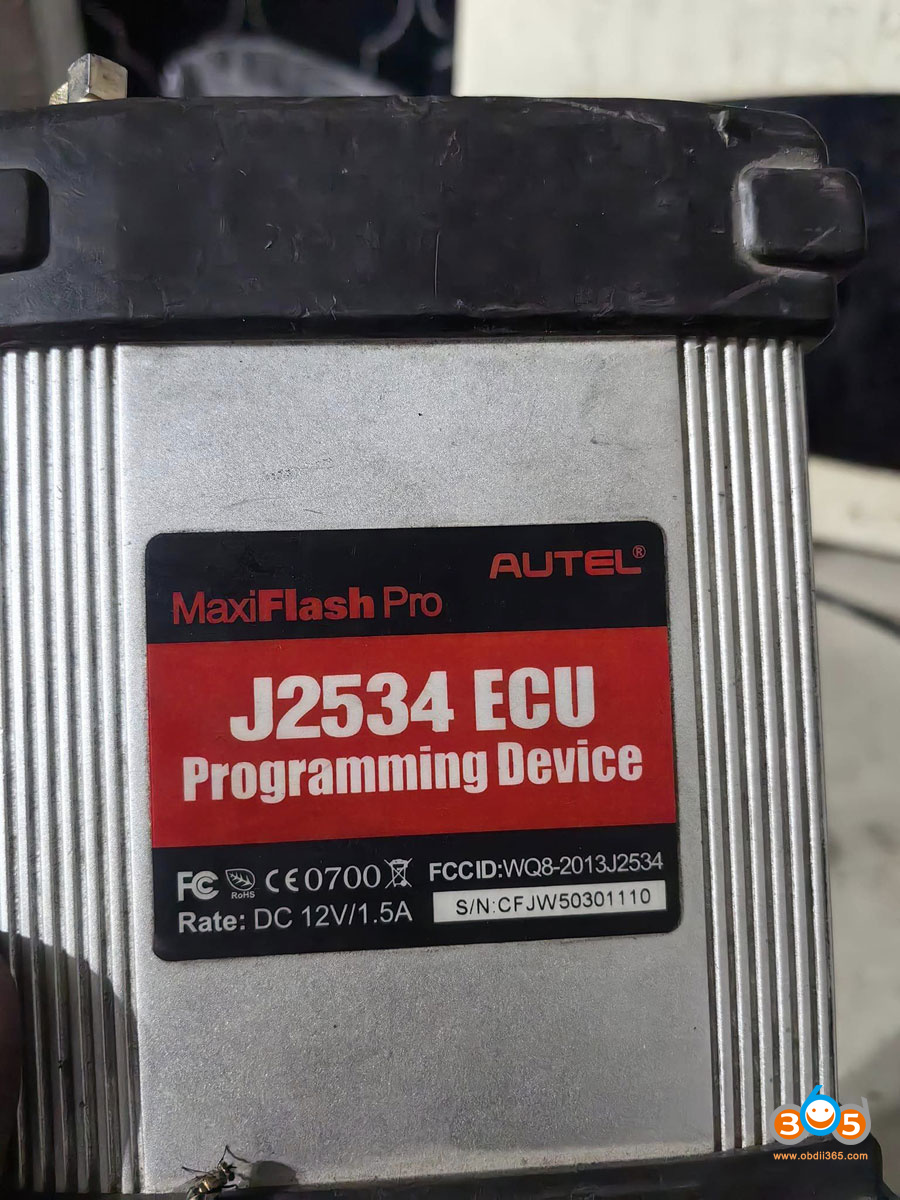
Autel J2534 Not Connect with Nissan Consult 3 Solution

Problem:

Tried to use Autel MaxiFlash J2534 passthru device with Nissan Consult 3 software.  Everything is updated and installed on the laptop. The Autel MaxiFlash software recognizes the j2534 but the Consult 3 software will not connect. Any solution?

Autel J2534 Not Connect with Nissan Consult 3

Here is the clue.

Autel J2534 doesn’t support API 5.0 driver required for Consult 3.

Older version of consult should work 75-80 API 04 if correct. New Consult3 V241+ requires API 05 device.

Get a Topdon Rlink instead.  Topdon Rlink is the way for r2r consult, inexpensive and it works. Rlink is the cheapest option. 
Any Rlink BUT the Rlink X3 can use C3P+R2R and C4+ R2R no problem.

Topdon Rlink is officially certified passthru by Nissan.

Cardaq3+ doesn’t seem to be working on new installs, at least with Consult4. Nissan is aware of the issue, this was couple months ago, maybe fixed now. No issues with Rlink.

VXDIAG VCX-SE also works. You don’t need to purchase the software license for Nissan either. Just install the driver using the VXDiag software suite and there ya go.

Friday, October 17, 2025

Autel J2534 vs Topdon Rlink J2534

 Autel MaxiFlash J2534 vs Topdon Rlink J2534 which to buy? Is the compatibility similar?


The Autel MaxiFlash J2534 (also Maxiflash JVCI) and the Topdon RLink J2534 are both SAE J2534-compliant pass-thru devices designed for OEM-level vehicle diagnostics, ECU reprogramming, and coding. They enable technicians to interface with manufacturer-specific software (e.g., Toyota Techstream, Honda iHDS) via a PC, supporting tasks like module updates and fault repairs. Neither includes OE software subscriptions, which must be purchased separately from the vehicle makers.

Key differences lie in ecosystem integration, connectivity, price, and brand-specific optimizations. The Autel is more tightly integrated with Autel’s diagnostic scanners, making it ideal for users already in the Autel ecosystem. The Topdon is more affordable and offers a streamlined driver management system for broader OEM compatibility, appealing to budget-conscious independents. Both support modern protocols like CAN FD and DoIP, but real-world performance can vary by software.


Comparison Table

Feature/Specification
autel jvci j2534
topdon rlink j2534
Compliance Standards
SAE J2534-1 & J2534-2, D-PDU, RP1210, CAN FD, DoIP
SAE J2534, D-PDU, RP1210, CAN FD, DoIP
Connectivity
Bluetooth wireless, USB, Ethernet; built-in WiFi antenna for advanced networking
Wired USB Type-C only (no wireless); stable but less flexible
Operating System Support
Windows (PC-based); seamless with Autel MaxiSys tablets (e.g., Elite II, MS909)
Windows 7/8/10/11 (64-bit PC only); no tablet integration
Vehicle/OEM Coverage
Broad: Toyota Techstream, Volvo VIDA, Honda HDS, Jaguar-Land Rover IDS, BMW 3G; all makes/models with OE software
17+ brands (e.g., Ford IDS, Nissan Consult, BMW ISTA, Mercedes Xentry); focuses on 13+ core brands
Key Features
– Fast reprogramming for newest controllers
– Data storage & internet updates
– Oscilloscope/multimeter in VCMI variant
– Direct BMW/Benz ECU programming with Autel scanners
– DMS (Driver Management System) for one-click driver installs/updates via RLink Platform
– Compact/lightweight design
– High-speed wired data transfer
– Responsive tech support
Power Supply
AC/DC adapter (12V); vehicle-powered via OBD-II
AC/DC adapter; vehicle-powered via OBD-II
Dimensions/Portability
Compact VCI form factor; portable with cables included
Pocket-sized (lightweight, fits in toolbox); includes zippered case
Price (Approximate, USD)
$800–$1,000 (varies by retailer; higher for bundles with scanners)
$299 (more affordable entry point)
Pros
– Proven reliability in Autel ecosystem
– Wireless flexibility
– Extensive Autel-specific programming (e.g., BMW/Benz)
– Cost-effective
– Easy setup with RLink Platform
– Broad OEM driver access
– Stable wired performance
Cons
– Higher cost
– Requires binding SN for some older models (newer versions simplified)
– Dependent on Autel for full potential
-need the subscription for Autel tablet
– No wireless option
– Potential driver conflicts (e.g., with GM GDS2 or other J2534 tools)
– Limited to PC (no scanner integration)
Best For
Professional shops using Autel tools; high-volume BMW/Benz/Toyota work
Independent technicians seeking value; multi-brand OE programming on a budget


Detailed Differences
1. Integration and Ecosystem: 

The Autel shines in hybrid use—pair it with an Autel MaxiSys scanner for direct ECU programming on select vehicles (e.g., Mercedes-Benz and BMW without a PC). The Topdon is PC-centric, relying on its RLink Platform for driver management, which simplifies installing/updating software for brands like Ford or Porsche but lacks scanner synergy.

2. Connectivity and Speed:
Autel’s Bluetooth enables wireless freedom, reducing cable clutter in busy shops. Topdon’s wired USB prioritizes stability and low latency, which is preferable for long programming sessions but limits mobility.

3. Ease of Use and Setup:
Topdon edges out with one-click driver downloads via its platform, ideal for quick OEM switches. Autel requires initial driver installation from CD/USB and occasional firmware updates, but it’s straightforward for experienced users.

4. Performance and Reliability:
Both handle core J2534 tasks reliably, but user feedback highlights Autel’s faster reprogramming speeds for complex jobs. Topdon is praised for affordability and support but may need workarounds for GM tools (e.g., uninstalling conflicting drivers).

5. Value and Support:
At under $300, the Topdon offers better entry-level value for occasional use. Autel’s premium price reflects its brand reputation and extras like waveform tools in advanced variants. Both provide lifetime support, but Topdon’s is noted for quicker responses.

If you’re in the Autel ecosystem or need wireless features, go with the Autel J2534. For cost savings and easy multi-OEM access, the RLink J2534 is a strong contender. Always verify compatibility with your specific OE software and vehicle models before purchase.

Tuesday, April 9, 2024

How to Autel MaxiFlash VCI for Nissan J2534 ECU Programming?

 Has anyone used the Autel J2534 Maxiflash Elite/JVCI/VCMI with any Nissan software? Does it work with Nissan Consult III Plus or Consult R2R?

Autel MaxiFlash VCI for Nissan J2534 ECU Programming 1

Consult III Plus: No, got it downloaded and it doesn’t find the j2534. It never connects to the autel j2534. It doesn’t find it in the VI/MI selection then manually added it in the diagnostictool.ini. Tried modifying the registry no dice.

Consult 3 Plus R2R:  R2R yes, regular Consult no

NERS: Yes, no problem.

->>>Check: Nissan Consult III Plus vs Nissan Consult III R2R vs NERS


How to set up Autel J2534 for Nissan online programming?

Visit Nissan-techinfo.com
Select registre reion, i.e North America
The first you need to do is create an online account.

Autel MaxiFlash VCI for Nissan J2534 ECU Programming 2

You are going to have purchase diagnostic in order to download the diagnostic software.
What you are going to have to do is log in.
After log in you come up to the main screen onto the home page.
Press the Diagnostic Software button.

Autel MaxiFlash VCI for Nissan J2534 ECU Programming 3

That will bring you to another page.
There are two types of diagnostic software that you can actually purchase- Consult III Plus and Consult III Plus R2R.

Autel MaxiFlash VCI for Nissan J2534 ECU Programming 4

We would suggest the Consult 3 plus R2R which works fine with Autel J2534 as we said in the beginning.

It works with your Jbox. You can do programming and calibration updates and everything with the software.

You can buy 1 day subscription ($30). Be careful, 1 day subscription is just a regular Consult Plus R2R and then you also have the GTR version.
The GTR 1 day subscription is a little bit more expensive.
You also have 30 days subscription ($150).
If you are doing to do more cars, 30 day subscription actually save a little bit of money.

If the R2R is not what you are looking for and you don’t need the Consult III plus diagnostic software.

What you can do is you can come and click over where it.
Come down and select Reprogramming using J2534-1

Autel MaxiFlash VCI for Nissan J2534 ECU Programming 5
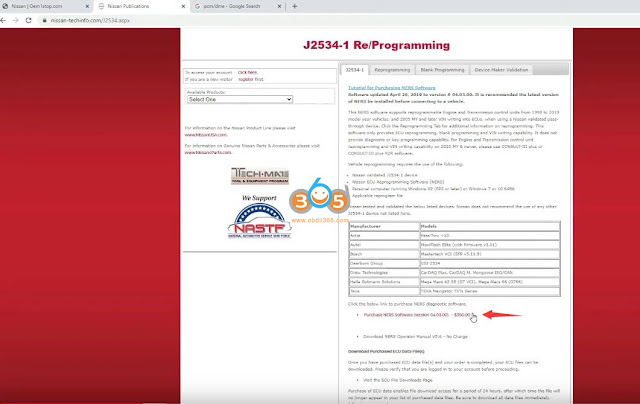
It is going to bring you to another page. On this page where you buy the NERS software.
Now this costs $350 to buy but this version gives you one year of access.
You download files afterward If you are not doing anything post 2017, if you are doing older version Nissan vehicles, there is a free version of NERS on the internet. But it only does up to 2016.
If you want to do 2017 and up you are going to need this version 4.03. You cannot have both versions of NERS into the system.
Autel MaxiFlash VCI for Nissan J2534 ECU Programming 6

Then Let’s go to Reprogramming
Enter first 5 digits of ECU part number and last 5 digit of ECU part number
Submit and purchase ECU data file.


Autel MaxiFlash VCI for Nissan J2534 ECU Programming 7

Autel MaxiFlash VCI for Nissan J2534 ECU Programming 8

Autel MaxiFlash VCI for Nissan J2534 ECU Programming 9

Then download ECU files.

Autel MaxiFlash VCI for Nissan J2534 ECU Programming 10

Autel MaxiFlash VCI for Nissan J2534 ECU Programming 11

Download and extract reprogramming data you downloaded from Nissan official.


Then you download Autel MaxiSuite driver for J2534 passthru interfaces on PC.

Here is an example

Download and Install Autel IM608 JVCI J2534 Driver for OEM Software

Connect Autel Jbox with vehicle

Select Nissan J2534 ECU reprogramming software

Accept terms and conditions

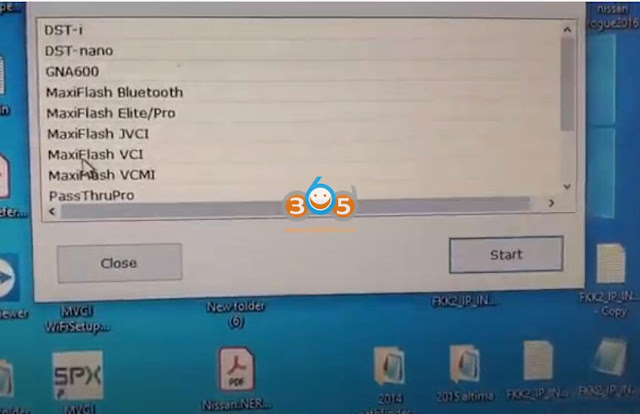
Select your Autel maxiflash interface Elite/Pro, JVCI, VCI, VCMI

Autel MaxiFlash VCI for Nissan J2534 ECU Programming 12

Here we use MaxiFlash Elite/Pro

Autel MaxiFlash VCI for Nissan J2534 ECU Programming 13

Now you can start Reprogramming, Write/Modify VIN, configure and programing modules.

Autel MaxiFlash VCI for Nissan J2534 ECU Programming 14 Autel MaxiFlash VCI for Nissan J2534 ECU Programming 15

Follow software instructions until finished.


www.obdii365.com

Monday, February 26, 2024

Can I Use Autel J2534 with JLR Topix Cloud?

 Question 1: Can I use Autel VCI j2534 doip interface like the Maxiflash Elite with JLR Topix Cloud or need JLR SDD doip?

Question 2: Autel J2534 has anyone used with jlr pathfinder I have it working with sdd but know pathfinder need doip so not sure if it will work?


Here is the clue.

The J2534 thats comes with it will allow you to connect to the OEM software to do the programming.

If you are using an Autel J2534 device then first download and install Maxi PC Suite on your laptop. After that you need to register your device in that and then you will be able to connect JLR using Autel J2534.


If your J2534 does not have a DoIP protocol, it won’t be able to handle Pathfinder information.

DoIP stands for diagnostics over IP or diagnostics over internet protocol.

One of our clients has a J2534 that came with the IM608, but does not have DoIP protocol,  and it wouldn’t work on 2019 Land rover.
Just wasn’t communicating with the car.  His IM608 JVCI did not have the right protocol did not meet with the landrover specs.


Which Autel J2534 comes with DoIP protocol?

Autel VCI200

Autel VCMI that comes with MSUltra

Autel JVCI+ that comes with IM608 II

New Autel MaxiFlash VCI that comes with Elite II pro,

autel j2534 doip

If comes with JLR SDD, Autel J2534 works fine with JLR SDD. All good. Even programmed ECM completely several times and coded immo functions.
Just tested today.

I had got installed Maxi Suit. Installed JLR SDD 163, restarted and open software until asks for automatic vin detection. Plugged j2534 Autel on usb port, wait 30 seconds. Click on autovin detection and j2534 and interface was detected ok (software sends an error about ignition voltage, obviously because interface was not plugged on a car). Looks like all works perfectly.


If you need a cheaper alternative that works perfectly with JLR Topix Cloud, VNCI JLR DoIP is the best one to go.

VNCI JLR DoIP Topix Cloud Online Programming Confirmed!

Sunday, November 5, 2023

Autel J2534 wiTech 2.0 Failed to Connect FCA 2018+?

 Here comes a similar problem:

Question for witech2.0 j2534. Autel maxyflash pro j2534 device is connected, everything is registered and subscriptions are assigned.
Drivers and everything is updated.
My problem is that when I try to connect the j2534 to a Jeep Compass 2018 I loose connection, and it appears an error.
It shows in the laptop in the bottom of the picture that PassThru connect error.
I can’t get connection to update bcm.
I plug the j2534 into a Dodge Dart 2016 and I get a connection and works fine.
But in the jeep compass I can’t. Any solution?

Autel J2534 wiTech 2.0 Failed to Connect FCA 2018+ 1

Autel J2534 wiTech 2.0 Failed to Connect FCA 2018+ 2

Autel J2534 wiTech 2.0 Failed to Connect FCA 2018+ 3

Solution:

2018+ FCA has FD-CAN (CAN FD) protocol.  Need to buy drewtech or something close nowadays.

Old Maxiflash j2534 does not support CAN FD.

Some interfaces will not be able to work if not certified to work with witech 2.0. You work a mongose plus of Chrysler a cardaq, MDI, VCM- Ford are few the j2534 that are certified to work with Whitech 2.0. If connect mdi, the same software disconnects you as the same tea is happening to you.

Need to buy drewtech mongoose or new JVCI+ J2534 the new one from Autel which covers more features. The new autel im608 pro 2 has FD CAN.

In older car models it lets you plug in and do programming, newer models have to be another CAN FD interface.

You also need new-ish laptops with windows 10 will meet the requirements of witech 2.0. IF you only intend to use the partition or computer for 2010+ WiTECH 2.0 software, and not the included Legacy 2009 and older programmer, NO JAVA IS NEEDED! The very specific version of Java is only needed if files are to be downloaded.

Sunday, February 12, 2023

GM SPS2 Does Not See Autel J2534 Solution

Problem: I have an Autel IM608 JVCI j2534, Why do I only get these 2 options to pick from, when I go on YouTube they have more then 10 on there, trying too reprogram a tcm with gm new software techline.

GM SPS2 Does Not See Autel J2534 Solution
Solution:

Drivers are missing. You'll need to download Autel's Suite, drivers will be able there. Windows 10 PRO is required.

https://www.autel.com/u/cms/www/202211/040800364oh9.zip 
Download and install the Autel MaxiPC Suite Here. It contains the drivers for all Autel J2534 devices.

Monday, November 1, 2021

How to Install Autel JVCI Driver for J2534 Programming?

 Here is the tutorial on Autel MaxiIM IM608 JVCI J2534 interface driver download and installation. If you have the driver for laptop, you cannot use this interface as j2534 passthru.  We can get autel J2534 programming jvci to communicate with the manufacturer platform ( OEM software) to program cars.


If you have an Autel IM608 and we can use that one as a programmer.


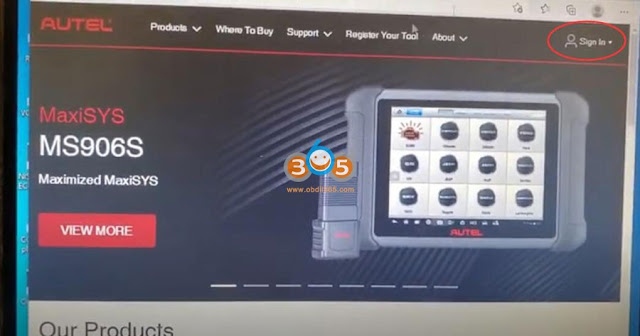
You have to go to Autel website: www.autel.com

You have to register you have to use the name password and email

download and install autel jvci driver 1

you have to put your serial number or fcc number here

download and install autel jvci driver 2

when you put it in, it will take you to step to create an account

If you have created an account, sign in with Autel ID (your email address) and password.

download and install autel jvci driver 3

download and install autel jvci driver 4

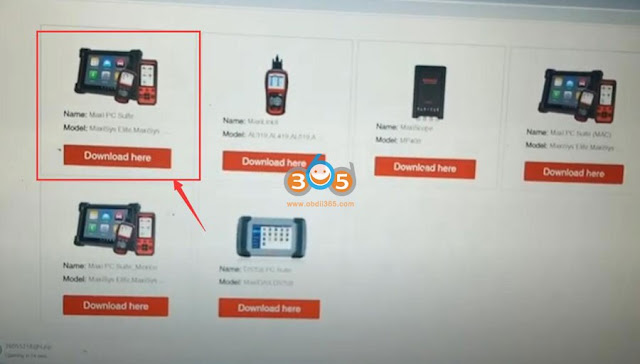
Go to Support- Download (make sure you have network connected)

Download 1st one- Maxi PC suite for maxisys series

download and install autel jvci driver 5

Ley PC download Maxi PC Suite program. Unzip file, run Setup.exe, select Maxi PC Suite language

download and install autel jvci driver 6

Press Install to install device driver software

Press Next until installation is finished.

download and install autel jvci driver 7

Run Maxi PC Suite on desktop

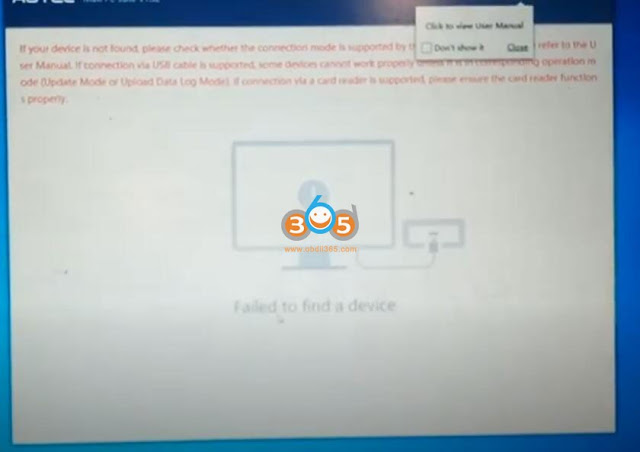
You have to connect Autel MaxiFlash JVCI interface with laptop thru USB to have the device detected

download and install autel jvci driver 8

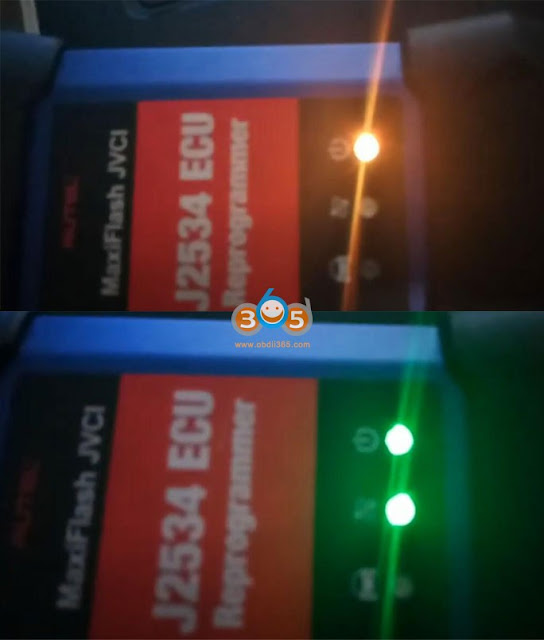
The indicator turns yellow when connected with laptop via USB, then it turns to green when detected by Maxi PC Suite

download and install autel jvci driver 9

Now you can get JVCI to communicate with OEM software

We have these options when connecting with Honda software

download and install autel jvci driver 10

Another example: use MaxiFlash JVCI with GM SPS2 via Techline Connect program

download and install autel jvci driver 11

https://www.obdii365.com/service/install-autel-im608-jvci-j2534-driver.html