
Autel MaxiIM IM508 & IM608 also support reading original NCF29xx NXP smart key data to copy a spare key.
Currently supported NXP types:
NCF2951, NCF2953, NCF295E, , NCF2971, NCF29A1, NCF29A2, NCF29A3, NCF29A4, NCF29A7, NCF29AE.
Tool required
Autel MaxiIM IM508/IM608
Autel XP400 Pro
Autel APB131 cable (can also copy key without apb131)
Original key
New key to be cloned.
Procedure:
Go to the Programmer function.
Select Chip (EEPROM/MCU/ECU)- Chip Reading/Writing- MCU-NXP-NCP29XX.


Select the correct NXP chip type.
For example: NCF29A7

Check the key connection diagram


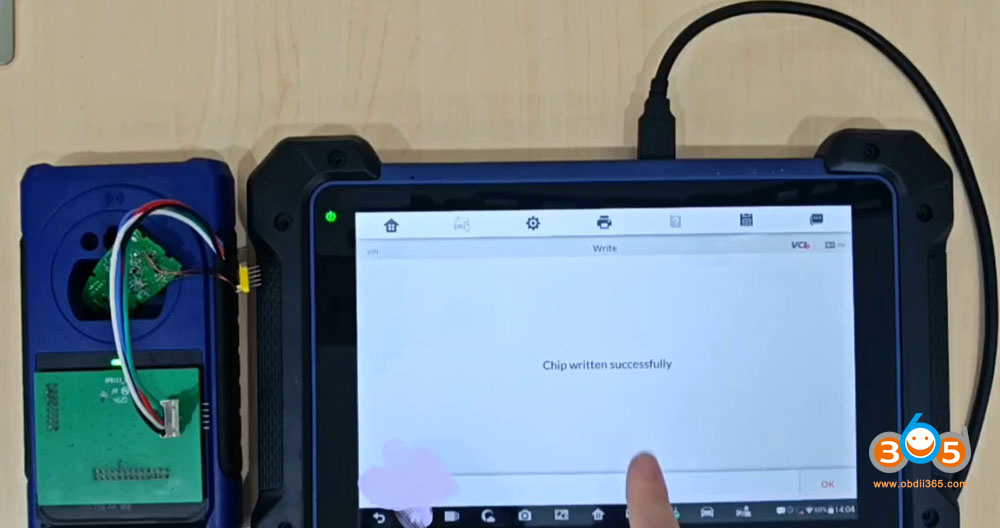
Connect the apb131 cable to key circuit board according to the diagram.


Read and save original key data.

Remove original key.
Connect a new original key (need to remove key shell) or Autel ikey.
Then write the original key data to the new key to clone a new key.


No comments:
Post a Comment