Thursday, April 19, 2018

Auro OtoSys IM100 Program Nissan Navara D40 2011 All Keys Lost

New feedback: Nissan Navara D40 2011 all keys lost done with Auro OtoSys IM100/IM600 tablet key programmer.


Connect IM100/IM600 tablet and VCI with vehicle
Select IMMO function>Nissan->System selection->Immobilizer/Smart system->Immobilizer/Smart system->When performing key registration->Register/Erase key

auro-im100-Nissan-Navara-1
auro-im100-Nissan-Navara-2
auro-im100-Nissan-Navara-3
auro-im100-Nissan-Navara-4
auro-im100-Nissan-Navara-5

Insert ignition key into ignition key cylinder and switch ignition to ON position

This procedure erases all registered key ID.Therefore,all of the customer's keys should be obtained

before starting this procedure

auro-im100-Nissan-Navara-6

Perform key registration. Operate according to the following procedures.


1:Remove inserted ignition key fruni ignition key cylinder.

2:tnsert unregistered ignition key into ignition key cylinder, turn ignition switch to the ON position, and then wait for 5 seconds or more.

3:Check that security indicator blinks 5 times.

4:Turn ignition switch to the OFF position, remove ignition key, and then wait for 3 seconds or more.

5:A maximum of 5 ignition keys can be registered by repeating procedures from step 2 to step 4 using unregistered ignition keys.  Touch OK to end  OtoSys IM100 key registration mode.

auro-im100-Nissan-Navara-7

Complete Registration Key.


After key registration operation, the system returns to key registration mode. Therefore, it is necessary to end operation. Operate according to the following procedures.


1:Insert ignition key into key cylinder and turn ignition switch to the ON position.

2:For models with remote control engine starter, buzzer of remote control engine starter sounds once. Registration unsucsessful if buzzer does not sound or sounds 3 times.

3:Turn ignition switch to the OFF position, remove ignition key, and then wait for 3 seconds or more.

4:Check that security indicator blinks at intervals of approximately 3 seconds.

auro-im100-Nissan-Navara-8

Operate according to the following procedures.

1:Check that each of all registered key can start engine. Touch [End].

For remote control engine starter, check operation according to remote control engine starter installation manual.

auro-im100-Nissan-Navara-9

Succeed.

auro-im100-Nissan-Navara-10

http://www.obdii365.com/


If you need IM600, please contact :
Email: Sales@OBDII365.com
Skype: OBDII365.com

Tuesday, April 17, 2018

Auro OtoSys IM100 IM600 Update Feature June July 2018

Q1: Will Auro IM100/IM600 make key on Australian Ford and Holden?
Q2: I cannot see Ford IMMO option in IM100, does IM100 support Ford key programming?

A:
These features currently is not yet ready in IM100/IM600, but Auro diag soon release more immo functions in the the coming months.
Update Coming List
RegionMakeDescription
ETA
Auro OtoSys  IM100IM600
USAFordSupport Key learning with C-MAX. Escape,Kuga, Expedition F-150 F-250 F-350 EcoSport ,and other modelsYESYES
GMSupports key learning on 2017 Buick, Cadillac, Chevrolet and other modelsYESYES
AustraliaHoldenSupport key learning on Astra,Barina, Clibra,Colorado. Combo, Cruze and other modelsYESYES
FordSupports key learning on Falcon,Fiesta,Focus,Kuga,Mondeo,
Transit and other models
YESYES
AsiaTATASupports key learning on Arta, Indian, Vista, Manza, Zest, Bolt, Tiago and other modelsYESYES
MahindraSupports key learning on Scorpio, Xylo, XUV500,Quanto,NuvoSport and other modelsYESYES
Maruti SuzukiSupports key learning on Alto 800,Swift, Baleno.S-cross,Celerio and other modelsYESYES
Hyundai/KiaSupport IMMO Password reading for 46,47 and 8A chip smart keysYESYES
MitsubishiSupports all keys lost on models with CAN Protocol, such as ASX and OutlanderYESYES
Toyota/LexusSupports all keys lost for four smart key types including:94/D4,88/8A,A9 and 98YESYES
EuropeVolvoSupports smart key programming, including smart key learning and all smart keys lostYESYES
BMWSupports key learning, all keys lost and ECU renew for CAS4/4+systemYESYES
BMWSupports key learning, all keys lost and ECU renew for CAS3/3+systemYESSupports with UP400
BenzSupports key learning, ELV read & write(OBD), ELV read & write(IR) for DAS3 system
Supports IR key read & write for IR key system
YESYES
VAGSupport IMMO IV Megamos 48 key programmingPay as you goPay as you go+ token
VAGSupports Read IMMO data for more Engine systemsYESYES
auro-otosys-im100
*If you need IM600, please contact Email: Sales@OBDII365.com
Skype: OBDII365.com

Friday, April 13, 2018

Auro OtoSys IM100 Clone VW Jetta 2014 Megamos 48 Key

We successfully cloned an original 2014 Volkswagen Jetta key onto a KeylessGo Megamos 48 transponder using the Auro OtoSys IM100 ( which will also work on an IM600).


Connect IM100 and programming adapter with vehicle via OBD socket
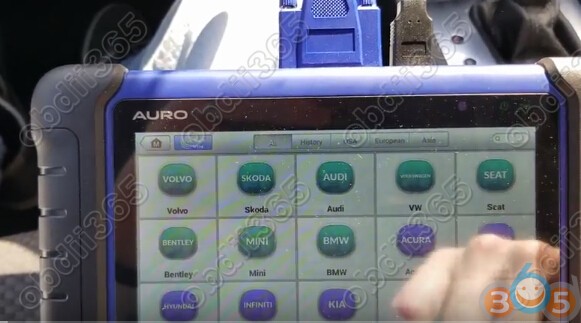
Select VW->Smart Mode

auro-otosys-im100-jetta-2014-key-1

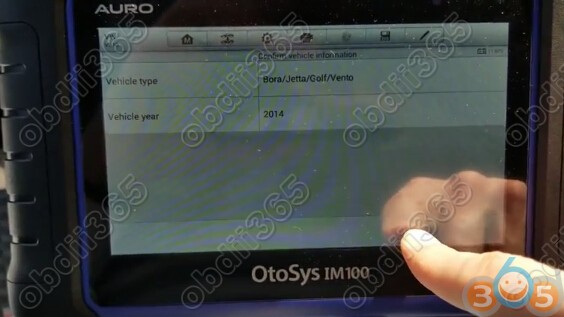
Reading vehicle information

auro-otosys-im100-jetta-2014-key-2
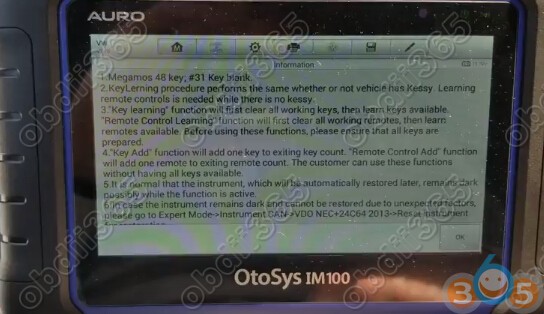
Analyzing immo type: Megamos 48 key, #31 key blanks

auro-otosys-im100-jetta-2014-key-3
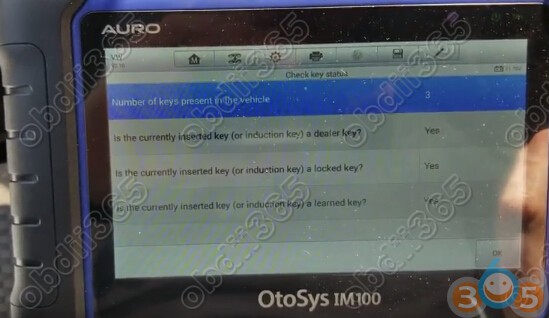
OtoSys IM100 read current number of keys

auro-otosys-im100-jetta-2014-key-4
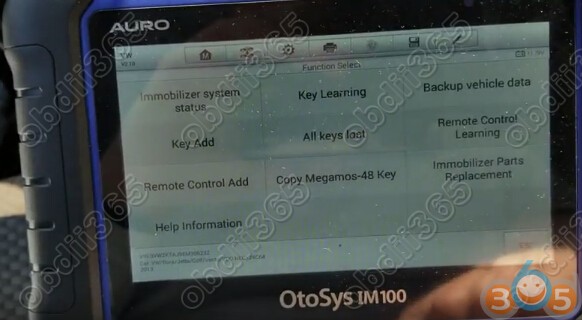
Select Copy Megamos 48 key
auro-otosys-im100-jetta-2014-key-5

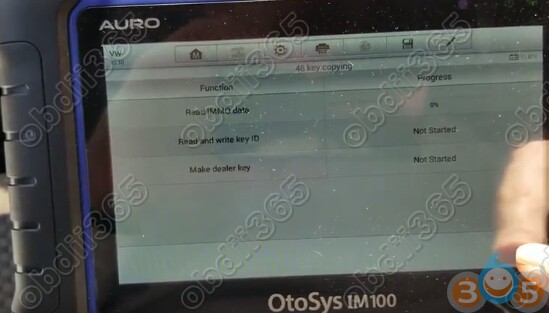
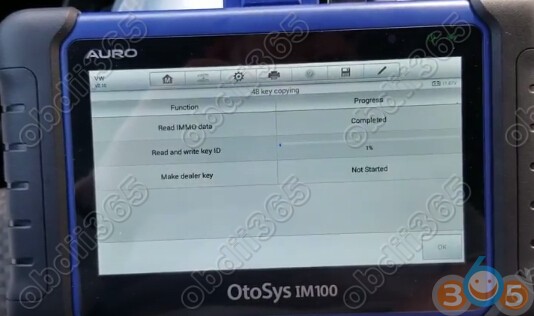
3 Steps to complete ID48 key cloning

Step 1. Read Immo data
a blank key must be a cloned key (ID id modifiable )
auro-otosys-im100-jetta-2014-key-6

Insert the start key and turn ignition switch to ON position

Reading immo data wait until completed


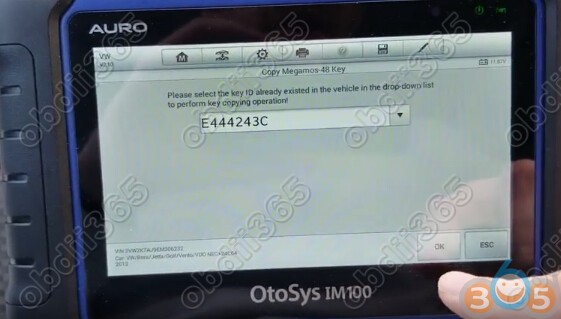
Step 2. Read and write key ID
auro-otosys-im100-jetta-2014-key-7

Select the key ID already existed in the vehicle in the drop-down list to perform ke copying operation

auro-otosys-im100-jetta-2014-key-8

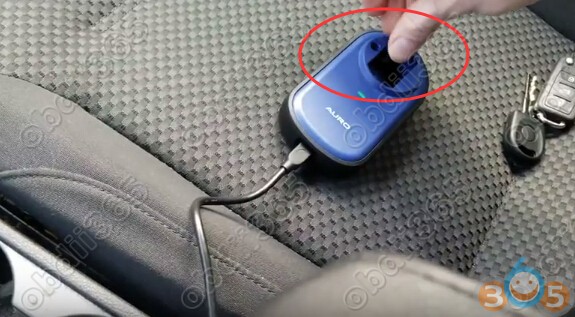
Puit a blank key/key chip in the programmer key hole and then Press OK

auro-otosys-im100-jetta-2014-key-9

Write key ID complete


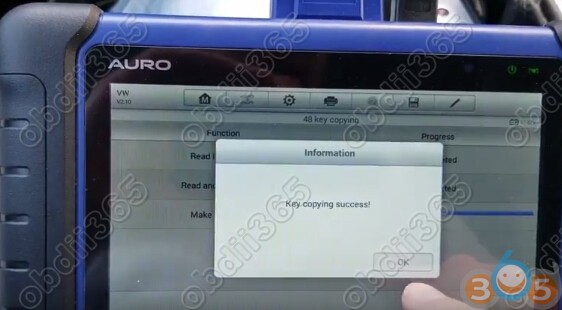
Step 3. Make dealer key

Key cloning success

auro-otosys-im100-jetta-2014-key-10

Test the new key and start vehicle.

http://www.obdii365.com/wholesale/auro-otosys-im100-automotive-diagnostic-tool.html

Wednesday, April 11, 2018

Auro OtoSys IM600 Ssangyong Rexton III 2007 Key Coding

AURO OtoSys IM600 successfully coded key on Ssangyong Rexton III year 2007 when lost key. OtoSys IM100 has the same capability. 

auro-otosys-Ssangyong-Rexton-1
Connect IM100/IM600 and VCI with vehicle via OBD diagnostic socket
Select Diagnostic function->Ssangyong->Rexton->Control Unit->Immobilizer->Diesel->Special Functions->Key coding
auro-otosys-Ssangyong-Rexton-2

auro-otosys-Ssangyong-Rexton-3

auro-otosys-Ssangyong-Rexton-4

auro-otosys-Ssangyong-Rexton-5

auro-otosys-Ssangyong-Rexton-6

auro-otosys-Ssangyong-Rexton-7
 VIN write
auro-otosys-Ssangyong-Rexton-8
 Immobilizer coding
Enter VIN to code 1st key
auro-otosys-Ssangyong-Rexton-9
 First key coding success
Continue to code another key or quit
auro-otosys-Ssangyong-Rexton-10
Test the new key.

*Note: If you need IM600, please contact:Email: Sales@OBDII365.com
Skype: OBDII365.com
 

Tuesday, April 10, 2018

Auro OtoSys IM600 Read and Write 93C66 EEPROM

AURO OtoSys IM600 read and write chip EEPROM 93C66 success.

Remove 93C66 chip IC from ecu
Connect EEPROM clamp, IC with UP400 adapter
Connect UP400 adapter with IM600 host with USB cable

auro-im600-read-93c66-1

auro-im600-read-93c66-2

auro-im600-read-93c66-3
 Select Programming->Chip read & write->EEPROM->MICROCHIP->93CXXXX->93C66->Read Operation
auro-im600-read-93c66-4

auro-im600-read-93c66-5

auro-im600-read-93c66-6

auro-im600-read-93c66-7

auro-im600-read-93c66-8

auro-im600-read-93c66-9

auro-im600-read-93c66-10
 Read eeprom data and save it
auro-im600-read-93c66-11

auro-im600-read-93c66-12
 Select Write operation to write eeprom
auro-im600-read-93c66-13
 Write eeprom success
Check the eeprom data again
auro-im600-read-93c66-14
*Note: If you need IM600, please contact Email: Sales@OBDII365.com
Skype: OBDII365.com
 

Auro OtoSys IM600 adds Dodge Journey 2009 remote key

We have successfully read pin code and added a keyless entry remote key on a  Dodge Journey year 2009 by using Auro OtoSys IM600 tablet key programmer. OtoSys IM100 has the same ability as well.
im600-dodge-journey-remote-1

Connect IM100/IM600 and VCI with vehicle via OBD diagnostic socket
Turn ignition to ON position
Select IMMO->Dodge->System selection->Immobilizer->Read Immobilizer password/Pin code(CAN).
IM600 read 4-digit security code success.
Go back and select Immobilizer(CAN)-Type2->Key Learning

im600-dodge-journey-remote-2

im600-dodge-journey-remote-3

im600-dodge-journey-remote-4

im600-dodge-journey-remote-5

im600-dodge-journey-remote-6

im600-dodge-journey-remote-7
 Enter or select 4-digit pin code just read/recorded
im600-dodge-journey-remote-8
 Key learning success
im600-dodge-journey-remote-9
 Start vehicle with new remote key
im600-dodge-journey-remote-10

Note: If you need IM600, please contact Email: Sales@OBDII365.com
Skype: OBDII365.com