Monday, September 9, 2024

Autel IM608 “Set” Menu

 Question: I can see the ‘SET’ menu in Autel IM608 pro when reading BMW MEVD17.2.4 ECU and let me turn on verifying for different things like reading, writing and erasing. Can you explain what is the ‘Set’ menu?

Autel IM608 “Set” Menu

Here is the explanation.

When using the IM608, the SET menu allows you to turn on or turn off certain checks during the reading, writing, erase data from the ECU module.


Verify Reading 

There is a breakdown when you are verifying reading. This option makes sure the data you’re reading from the ECU module is correct.
It does a check after reading the data to confirm nothing was missed or corrupted.
It’s always a good idea to keep this on especially when you are working on critical data.

Autel IM608 “Set” Menu 2

Verify Writing

Similar to verify reading. This is verifying writing so this option ensures that the data you written to the ECU was saved correctly.
The system compares the original file to what’s been written to make sure no errors occur during the writing process.
This is also very important to avoid faulty data being written.

Autel IM608 “Set” Menu 3

Verify Erasing

There is the Verify erasing. This option checks if the data was successfully erase form the module. If you are erasing an ECU before reprogramming it verifying that it’s completely clear.

This can help prevent issues when you upload new data.

Autel IM608 “Set” Menu 4

www.obdii365.com

3 Ways to Read EEPROM Chip with Autel IM508 IM608 XP400

 When reading an eeprom chip with Autel IM508/IM608 XP400 or XP400 Pro, there are several methods. Here we will help understand the methods for EEPROM reading and when to use each approach.

Method 1: APB103 (EEPROM clamp)
It is the simplest for reading data without removing the clip. The clamp can be applied directly on the eeprom on the board enabling easy reading without disordering.
This is ideal if when you are sure the chip is functioning properly and does not need to be removed for deeper inspection especially if you are like you know don’t want to solder/desolder anything.

This method although it’s easy, it is not the most reliable. It’s hard to get good read on this sometimes.

Method 1: APB103 (EEPROM clamp)

Method 2: APA002 EEPROM Socket
The next method is the EEPROM socket.
This socket is used when you need to perform a non-invasive reading or write an eeprom chip that has already been removed from its circuit board.
This method is ideal for technicians you prefer to avoid you know soldering and want secure reliable connection to the eeprom chip during data extraction or programming
You would typically use this method when the eeprom chip can be easily placed in the socket allowing for more stable data communication and the APA002 socket ensures that no loose connections occur reducing chances of data corruption especially when dealing with delicate critical data like immobilizer information, mileage correction or module cloning.

Method 2: APA002 EEPROM Socket
Method 3: APB129 EEPROM adapter shell
The next one is the adapter shell.
When you are working with a 6 or 8-pin eeprom chip that needs to be securely mountes for reading or writing data this method is useful when dealing with chips that require more stability during the operations such as advanced eeprom repairs or when chips are not easily accessible using other clamps or sockets.
Addtionaly, this method is ideal for scenatios where precise alignment and more secure connections are necessary which helps prevent data corruption you know reading and writing errors during the programming process.

Method 3: APB129 EEPROM adapter shell

Those are three different approaches on reading an eeprom and when you can use them.

www.obdii365.com

Autel IM608 Program 2005 VW Touareg AKL via OBD or Bench?

 Will Autel IM608 program 2005 VW Touareg All Keys Lost via OBD?

If you look at the vehicle coverage database it gives you an option to do all keys lost via OBD.

Autel IM608 Program 2005 VW Touareg AKL via OBD 1

Autel IM608 Program 2005 VW Touareg AKL via OBD 2

If you select All keys losy via OBD, you are going to get this prompt.

Autel IM608 Program 2005 VW Touareg AKL via OBD 3

The device says this will make some modifications to the vehicle like the engine control unit and they have the risk of damaging critical components.
Some use the ODIS because in this paticular vehicle you cannot do it on the bench.
It is not covered on the IM508/IM608.
You can use ODIS software and have one original key at least from the dealer and then you will be able to register it safetly that way.
It is not worthing doing it via OBD.

Every time you work on these VW and Audi, they have that option to do it through OBD, it is always safer to do it on the bench.


www.obdii365.com

Friday, September 6, 2024

How to Repair Autel XP400 Pro if Bricked?

 Your Autel XP400/XP400 Pro programmer will burn if connecting it to obd instead of connecting the J2534 to the obd cable.


How to repair XP400 if burned?

Way 1: Send back to your dealer for repair. Usually, it is free under the warranty.

Way 2: DIY repair.

Here is the customer solution. Just for sharing purpose. You are at your risk.  Once it out of the box you can’t get it back in.

One of locksmith friends had this experience which ended pretty good. This is a fix when it has already burned out.

“Pulled the Xp400 apart and found this surface capacitor burnt (47Uf power supply filter). Replaced it with another capacitor from an old broken Ford Falcon ecu and surprisingly its working all well. Just incase someone does it in future, you can fix it yourself.”

The 47uF capacitor is the part that probably fail in that particular case. Causing the magic smoke to escape from the xp400.

Repair Autel XP400 Pro if Bricked 1

Repair Autel XP400 Pro if Bricked 2

Repair Autel XP400 Pro if Bricked 3

Repair Autel XP400 Pro if Bricked 4

You can solder a diode parallel to this Tantalum capacitor to prevent reverse current (short circuit).

Repair Autel XP400 Pro if Bricked 5

The better way is to prevent XP400 from burning.  Don’t connect XP400/XP400 Pro via OBD directly.

Tip is use a good 12v/13v max power supply -not AC/DC switch mode.

Wednesday, September 4, 2024

Autel IM608 Failed to Recover ABS Code Solution

 Tried to do a VW Jetta 2010 all keys lost with Autel IM608 on bench. It failed in the last step and failed to recover ABS code. Is this normal?

How can I resolve it?

Autel IM608 Failed to Recover ABS Code

This is normal. You will go through the procedure and at the last step you might get this error.
Sometimes the ABS light is on.

When you are doing these all keys lost scenarios, we recommend doing the Cloud back up procedure first.
Go to the Diagnostic Menu first and do a complete cloud backup.

Autel IM608 Recover ABS Code 1
It will back up every module in case some module gets messed up.
You can always restore it back.
The other option is if you just want to back up the ABS data. You can click Back up ABS code to recover it.

Autel IM608 Recover ABS Code 2
In Autel you have different paths. One path might not work but if you just take a different route that one will work.

Make sure you back up the ABS data first and then if that error comes just try to go ahead and recover it.


Read also:
How to program VW NEC24C64 All keys lost on bench

Autel IM508/IM608 VW Golf VDO NEC+24C64 All Keys Lost via Dump

Will Autel IM608 Program VW Golf 2014 All keys lost via OBD?

 Problem:

It is a 2014 VW Golf IMMO4 CAN instrument system, all keys have lost. Can I program key with Autel IM608 via OBD.
Can i manage this directly through OBD method?

Autel IM608 Program VW Golf 2014 All keys lost 1

Solution:

You can probably add key through the OBD but for all keys lost you are probably going to be restricted and you need to do it on the bench.

Need to remove cluster and do it on bench.

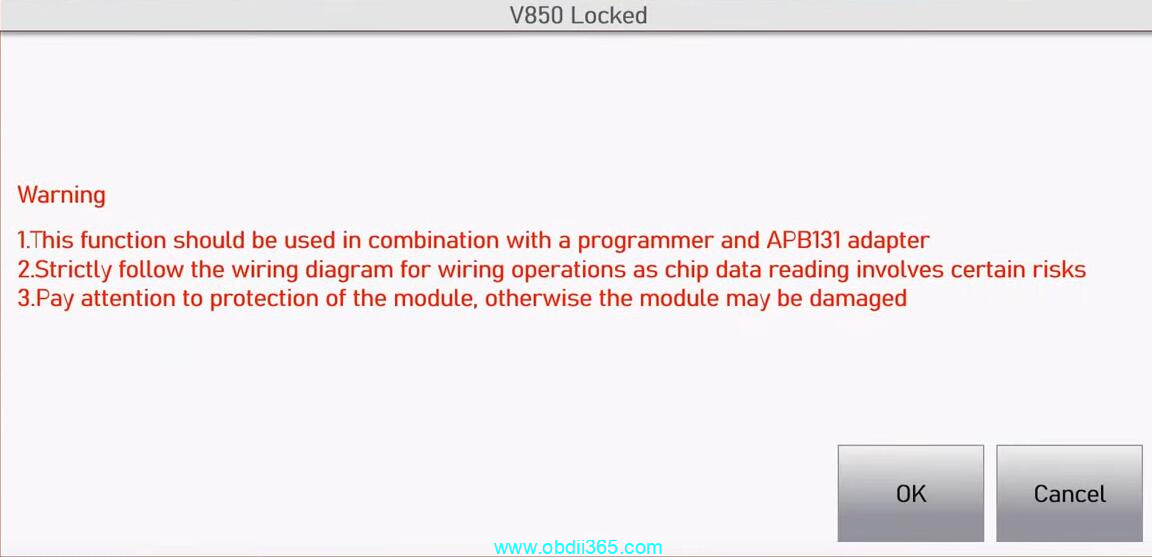
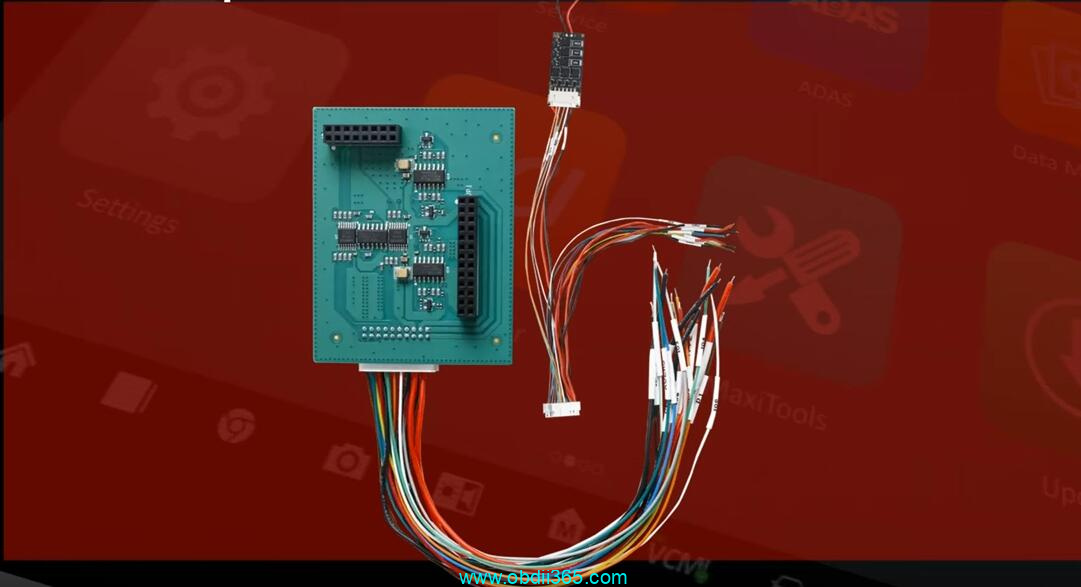
When you go to Smart selection->MQB instrument cluster->V850 locked via dump, IM608 will ask for use with a programmer and APB131 adapter.

autel apb131 mqb v850 1

autel apb131 mqb v850 2

Removing the component form the vehicle minimizes the risk of damaging other vehicle systems during testing and programming.

Compatible with aftermarket keys, offering flexibility in key replacement.

It is going to ask for the 32-byte ECU sync data.
You can acquire it from a 3rd party.
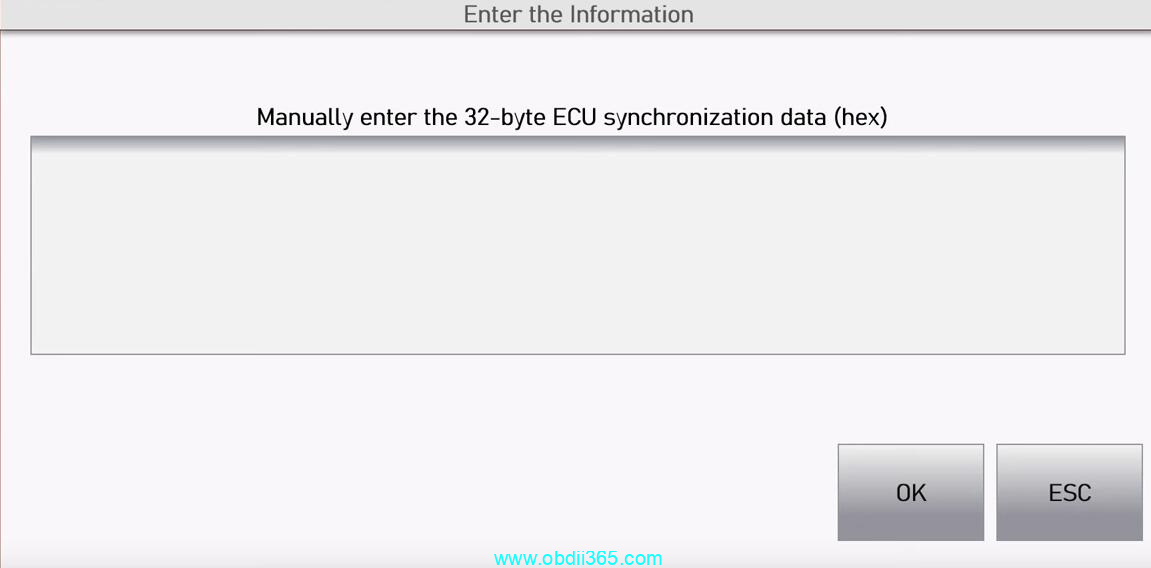
autel apb131 sync data


Here is an example of how to use the APB131 adapter.

Autel IM508 XP400 Read VAG MQB JC RH850 with APB131

Tuesday, September 3, 2024

How to Unlock VAG SFD Manually with Autel IM608 II?

 We have shown how to obtain SFD unlocking tokens for Autel scanners. Here we will continue to walk you through unlocking VAG SFD gateway manually with Autel scanners step by step.

How to Get VAG SFD Unlock Tokens for Autel Launch X431 ?

We are trying to reset maintenance lights. It’s an inspection light on a 2024 Audi Q7.
This goes for a lot of the newer model Volkswagen Audi’s.

In 2020, the Volkswagen Group (VAG) manufacturers introduced a procedure preventing unauthorized control module modifications – SFD (Vehicle Diagnostic Protection).

Here we show manul unlock SFD with Autel IM608 II. This works on many Autel scanners MS909/MS919/Ultra (a device that supports DoIP protocol).


We are going to connect the VIN number.Let it load and here is our issue.

Auto detect vehicle, and this one requires DOIP protocl.

Vehicle Diagnostic Protection (SFD) is not locked. Our challenge is to bypass/unlock the SFD security gateway.

Unlock VAG SFD Manually with Autel IM608 II 1

Unlock VAG SFD Manually with Autel IM608 II 2

We are going to deactivate it.

Select Deactivation>>Manually unlock SFD. It will take us to this menu.

Unlock VAG SFD Manually with Autel IM608 II 3

Unlock VAG SFD Manually with Autel IM608 II 4
We are going to need the VIN number. Copy the VIN.
Go to web browser, this site is called “vaglogins.com”.

Unlock VAG SFD Manually with Autel IM608 II 5

Login or sign up.

Select “Tokens” to buy credits, and lowest amount is about 25 with each 1 euros.

Then select “Memberships” to buy a type by tokens,

Unlock VAG SFD Manually with Autel IM608 II 6

Unlock VAG SFD Manually with Autel IM608 II 7

After we get a membership, select “SFD generator”.

Paste your VIN to activate.

Unlock VAG SFD Manually with Autel IM608 II 8

Copy “Unlocking request information” in Autel scanner and paste it in “Login request” on the website.

Unlock VAG SFD Manually with Autel IM608 II 9

Select brand Audi, enter diagnostic address and select “Request SFD” to calculate SFD code.

Unlock VAG SFD Manually with Autel IM608 II 10

Unlock VAG SFD Manually with Autel IM608 II 11

Scroll down and select “Copy To Clipboard” to copy SFD calculation code.

Unlock VAG SFD Manually with Autel IM608 II 12

Back to Autel IM608 II menu, select “Input token”.

Paste the code here.

Unlock VAG SFD Manually with Autel IM608 II 13

Select “Unlock SFD”.

Select “Exit” to switch to Main menu.

Unlock VAG SFD Manually with Autel IM608 II 14

Then we have 90 minutes to diagnose the vehicle.

To reset Maintenance light, go to Hot functions>>Oil reset>>Oil and ins service reset

Maintenance light is reset.

Unlock VAG SFD Manually with Autel IM608 II 15

www.obdii365.com


http://blog.obdii365.com/2024/09/03/unlock-sfd-manually-for-vag-with-autel/