Showing posts with label Autel G Box3. Show all posts

Wednesday, March 25, 2026

Autel IM508 Calculate VAG PCR2.1 ECU CS PIN After New Update

The latest update from Autel has improved VAG PCR2.1 ECU EEPROM/PFLASH read & write capabilities and IMMO data extraction, making advanced ECU work easier and faster for locksmiths and technicians.

Learn the latest updated method to read VAG PCR2.1 ECU immobilizer data using AUTEL IM508 after recent software updates.

We will explain the complete step-by-step process to safely read IMMO data from PCR2.1 ECU using bench mode and programmer (XP400 Pro).


New updates improved:

  • Adds FLASH reading/writing, EEPROM reading/writing, IMMO data calculation, and EEPROM cloning data conversion functions (in bench mode) for Siemens/Continental series PCR2.1, SIMOS8.3x, SIMOS8.4x, SIMOS8.5x, SIMOS8.6x, SIMOS12.1, and SIMOS12.2 ECMs.
  • IMMO data reading stability
  • EEPROM & PFLASH operations
  • More ECU compatibility


REQUIRED TOOLS

IM508 supports EEPROM/MCU read-write and IMMO ECU data access, especially when used with XP400 Pro.


STEP-BY-STEP PROCESS

Remove PCR2.1 ECU from vehicle.
Open ECU carefully (heat + blade method).
Identify EEPROM / MCU (Common: TC1767 / TC1797).
Connect using bench wiring or Gbox adapter.
In IM508, go directly to Expert Selection.
You will see there will be IMMO Parts, previously, it was Engine.

In IMMO Parts, select Engine.

Select Bench Mode. This is required for reading the PIN code on the PCR2.1 diesel white meter.

Select engine type: Bosch or Siemens/Continental.

Select Siemens/Continental. 

Select ECU type (PCR2.1 / TC1766).

Autel IM508 Calculate VAG PCR2.1 ECU CS PIN  1

Autel IM508 Calculate VAG PCR2.1 ECU CS PIN  2

Autel IM508 Calculate VAG PCR2.1 ECU CS PIN  3

Autel IM508 Calculate VAG PCR2.1 ECU CS PIN  4

Autel IM508 Calculate VAG PCR2.1 ECU CS PIN  5
Autel IM508 Calculate VAG PCR2.1 ECU CS PIN  6

This method works with both GBOX2 and GBOX3 interfaces.

Check the bench wiring diagram.

Autel IM508 Calculate VAG PCR2.1 ECU CS PIN  7

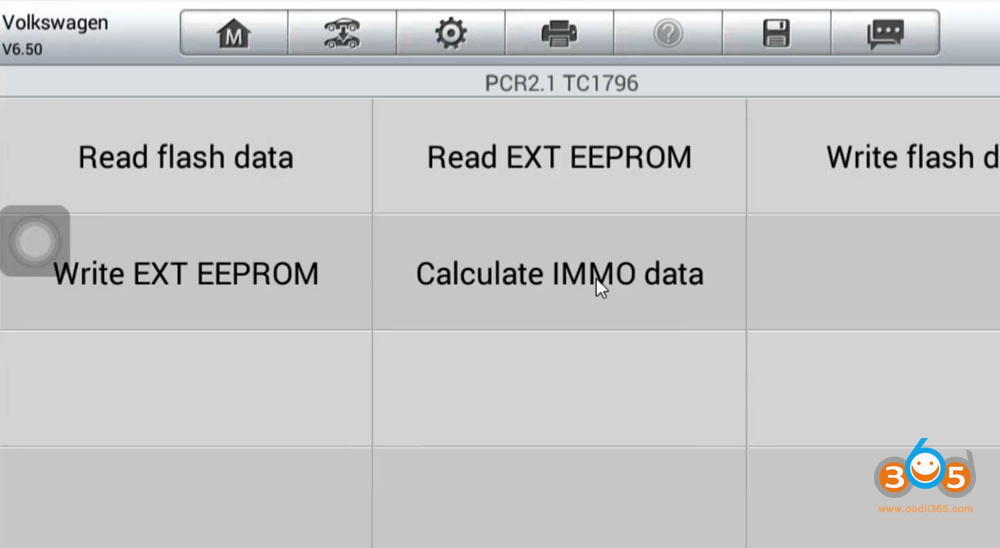
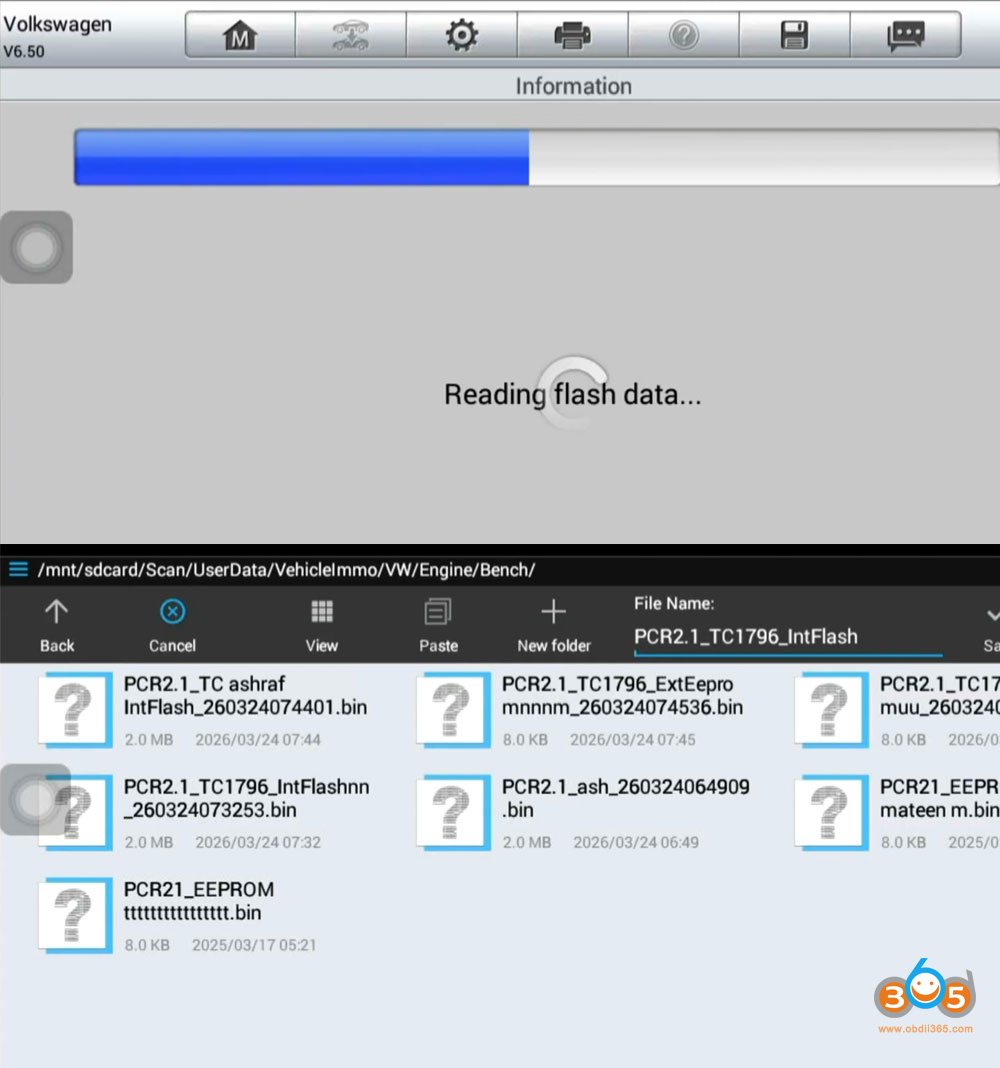
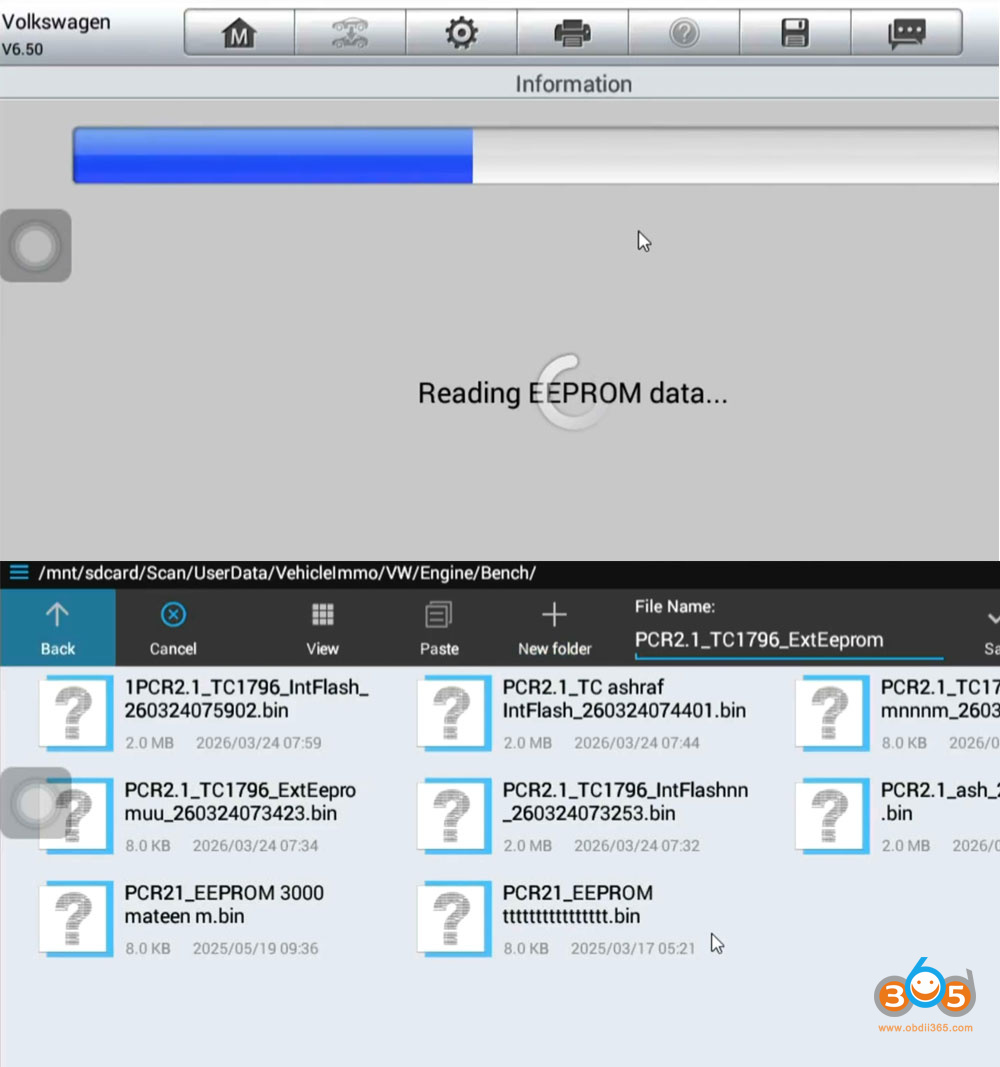
Choose Read EEPROM / Read FLASH.

Autel IM508 Calculate VAG PCR2.1 ECU CS PIN  8

CS and PIN code will be found in Flash data. Flash data must be saved.

Autel IM508 Calculate VAG PCR2.1 ECU CS PIN  9

Then read and save EEPROM data.
Save original backup (VERY IMPORTANT ).

Autel IM508 Calculate VAG PCR2.1 ECU CS PIN  10

Select Calculate IMMO data.

Load the ExtEEPROM and IntFlash data of the same vehicle to extract IMMO data /CS/PIN from file.

Once both are loaded, click Decode.

Autel IM508 Calculate VAG PCR2.1 ECU CS PIN  11

Autel IM508 Calculate VAG PCR2.1 ECU CS PIN 12

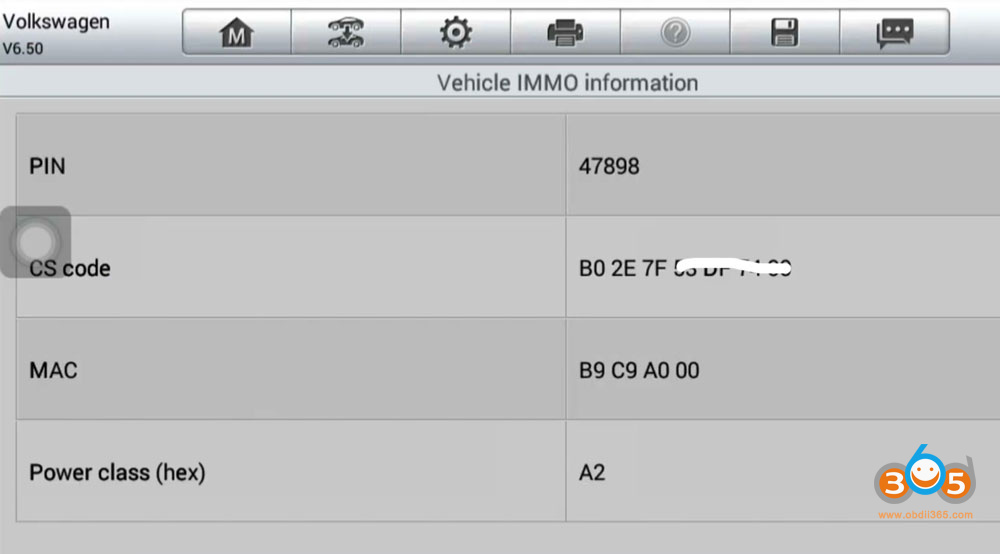
The system will process the data and display:

  • PIN Code
  • CS Code
  • MAC ID
  • Power Class

Take a photo or note down these details for use during programming.

Autel IM508 Calculate VAG PCR2.1 ECU CS PIN 13

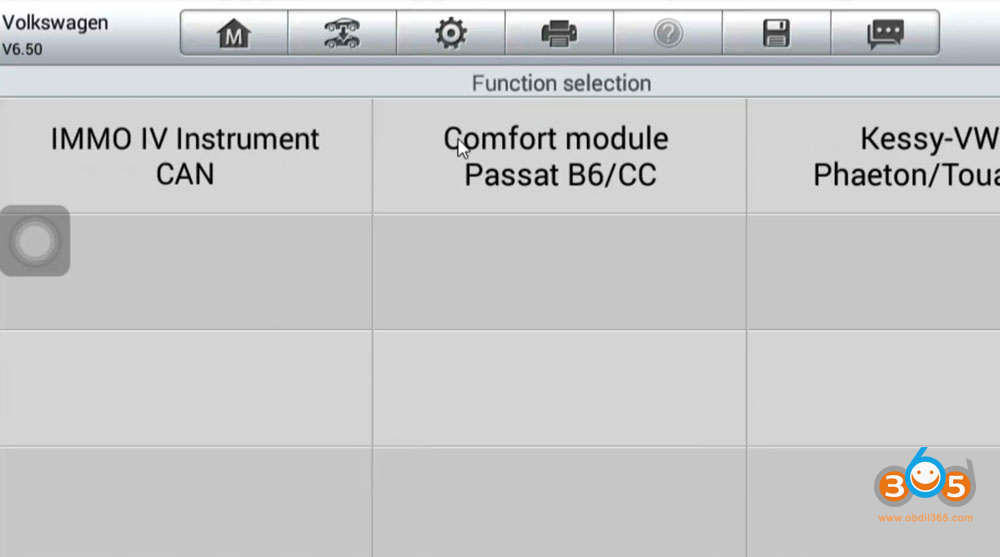
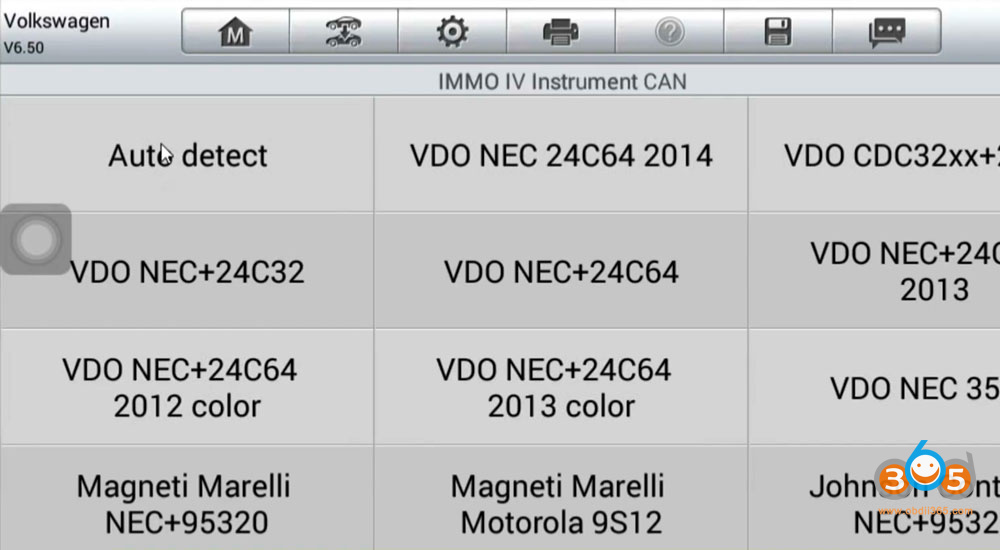
Go back to Expert Selection- IMMO IV- IMMO IV Instrument CAN.
Select cluster type- VDO NEC35XX.
There will be All Key Lost via OBD mode option.

Autel IM508 Calculate VAG PCR2.1 ECU CS PIN 14

Autel IM508 Calculate VAG PCR2.1 ECU CS PIN 15

Autel IM508 Calculate VAG PCR2.1 ECU CS PIN 16
Here IMMO data will not be read.
What to do for this, do not Press Yes again.
Select No.

Autel IM508 Calculate VAG PCR2.1 ECU CS PIN 17

Autel IM508 Calculate VAG PCR2.1 ECU CS PIN 18

It will allow us to input CS and Code manually.

Autel IM508 Calculate VAG PCR2.1 ECU CS PIN 19
Then generate dealer key and learn key to the IMMO system via OBD.

PRO TIPS

Some PCR2.1 may still need boot mode or external tools (Xhorse Multi Prog etc) for full read.

Monday, June 23, 2025

Autel IM508 Read VAG EDC17C64 ECU and Decode CS Code

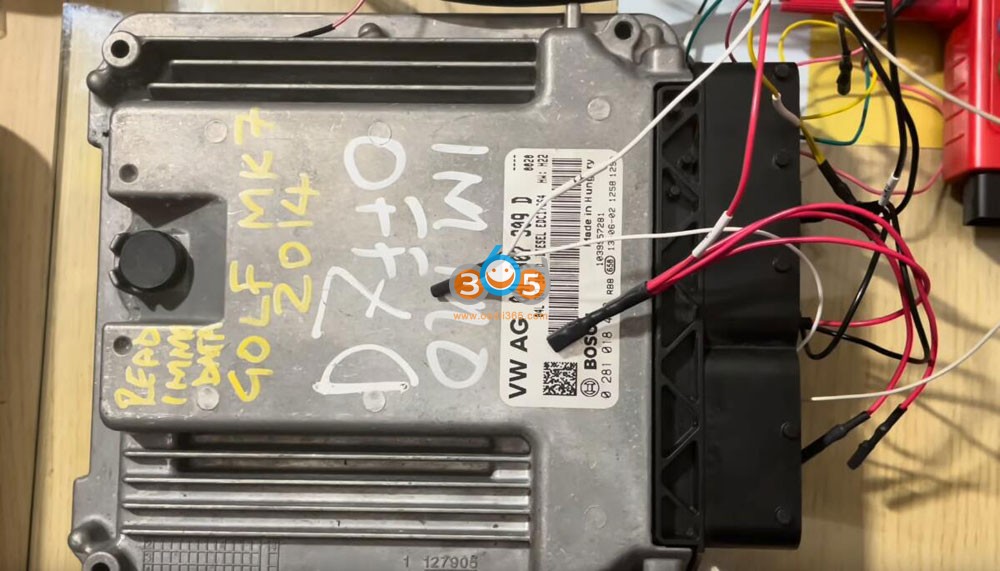
 Working with Volkswagen Group (VAG) ECUs, such as the EDC17C64 found in the Golf 7 2014, requires precision and the right tools. In this guide, we’ll walk through the process of reading EEPROM and flash data, extracting the CS code, and getting synchronized data for key programming or ECU cloning—using the Autel IM508 XP400 Pro and GBOX 3 tool.


Step-by-Step Process

1. Establishing Connection

  • Connect the ECU with Gbox3 and IM508 according to the wiring diagram in the IM508 (green light indicates a good connection).

  • Power the ECU with 12V to avoid communication drops (listen for relay clicks).

Autel IM508 Read VAG EDC17C64 ECU and Decode CS Code 1

Autel IM508 Read VAG EDC17C64 ECU and Decode CS Code 2

Autel IM508 Read VAG EDC17C64 ECU and Decode CS Code 3

Autel IM508 Read VAG EDC17C64 ECU and Decode CS Code 4

2. Reading EEPROM Data

  • Select “Read EEPROM” in the software.

  • The process is fast (takes seconds) and extracts critical immobilizer data.

  • Save the file immediately for backup.

Autel IM508 Read VAG EDC17C64 ECU and Decode CS Code 5

Autel IM508 Read VAG EDC17C64 ECU and Decode CS Code 6

Autel IM508 Read VAG EDC17C64 ECU and Decode CS Code 7

3. Reading Flash Data

  • Flash reading is slower (15+ minutes) but essential for synchronization.

  • Save the flash file once completed.

Autel IM508 Read VAG EDC17C64 ECU and Decode CS Code 8

Autel IM508 Read VAG EDC17C64 ECU and Decode CS Code 9

4. Decoding CS to get Sync Data

  • Select EDC17/MED17/ME17 data processing function.
  • Load both EEPROM and flash files into the software.

  • Click “Decode” to extract:

    • CS (Component Security) Code (required for key programming).

    • VIN Number (verification).

Autel IM508 Read VAG EDC17C64 ECU and Decode CS Code 10

Autel IM508 Read VAG EDC17C64 ECU and Decode CS Code 11

Autel IM508 Read VAG EDC17C64 ECU and Decode CS Code 12

Autel IM508 Read VAG EDC17C64 ECU and Decode CS Code 13

Autel IM508 Read VAG EDC17C64 ECU and Decode CS Code 14

The steps above is how to read ecu data from ecu to get sync data with instrument cluster.

Thursday, January 9, 2025

Autel IM508 Gbox Read BMW EDC16C06 ISN Code

 How to read BMW 1 series E87 EDC17C06 engine ECU 32-bit long ISN code with Autel IM508 XP400 Pro and Gbox3?


Mode: Boot mode. 

Vehicle: BMW 1 Series – E87 Drive side – RHD Gearbox – Manual Engine – 2.0 Year – 2010 

OEM no: DDE 8 510 592

Bosch no: 0 281 016 925

Tools to use:

using Bench power supply

Autel IM508 G-Box2/3

Boot Pins

Boot Pin holder


Procedure:

Remove and disassemble engine ECU.

Autel IM508 Gbox Read BMW EDC16C06 ISN Code 1

In IM508 go to System Selection-Engine- Direct- Boot- E chassis- Bosch-TC1766 EDC17C06.

Autel IM508 Gbox Read BMW EDC16C06 ISN Code 2

Autel IM508 Gbox Read BMW EDC16C06 ISN Code 3

Check wiring diagram and instructions.

Autel IM508 Gbox Read BMW EDC16C06 ISN Code 4

Autel IM508 Gbox Read BMW EDC16C06 ISN Code 5

Connect ECU with gbox and xp400 pro following the diagram in boot.

Autel IM508 Gbox Read BMW EDC16C06 ISN Code 6

Autel IM508 Gbox Read BMW EDC16C06 ISN Code 7

Autel IM508 Gbox Read BMW EDC16C06 ISN Code 8

Autel IM508 Gbox Read BMW EDC16C06 ISN Code 9

Read ISN.

Autel IM508 Gbox Read BMW EDC16C06 ISN Code 10

Autel IM508 Gbox Read BMW EDC16C06 ISN Code 11

Read ISN successfully.

Autel IM508 Gbox Read BMW EDC16C06 ISN Code 12

www.obdii365.com